 Sup!
Sup!Schedule and reminders
When a follow-up runs, how often, in which timezone, and how Sup! reminds people.
You set these on the Name & schedule step when you create or edit a follow-up.
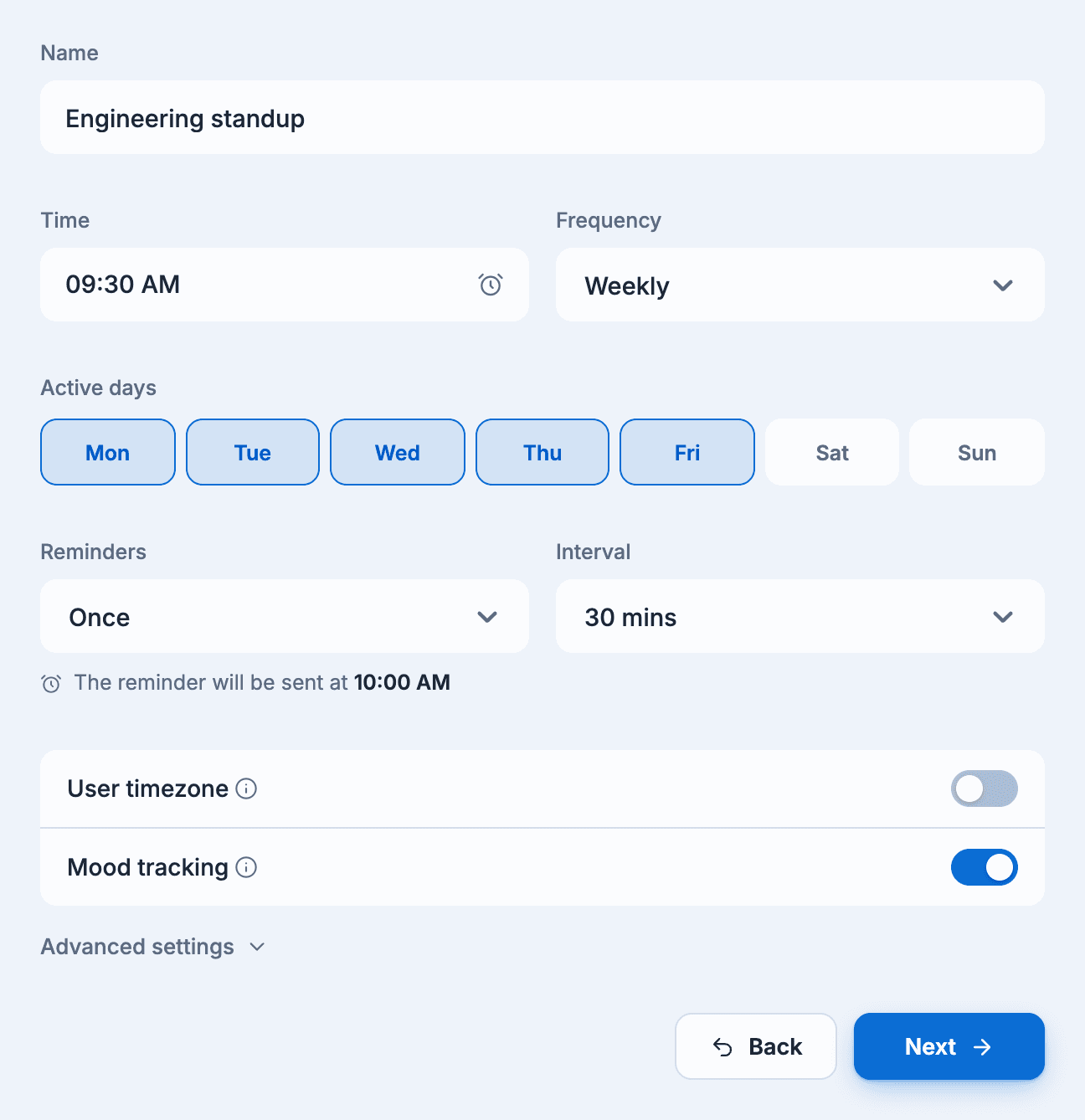
Time and frequency
- Time: when members get the follow-up, in 15-minute steps.
- Active days: the weekdays it runs on.
- Frequency:
- Weekly (the default): every selected day, every week.
- Bi-weekly: every other week.
- First selected day of the month or Last selected day of the month: once a month.
Bi-weekly and monthly frequencies are paid features and run on a single weekday. Choosing one of them keeps only one of your active days.
Reminders
Reminders sends members who haven't answered yet a nudge: No reminder (the default), Once, Twice or Thrice. Once you turn reminders on, choose an Interval of 15 mins, 30 mins or 60 mins. A note under the field shows exactly when the reminders go out.
The reminder says "Your response for (follow-up name) is pending." Members who started a conversational follow-up but didn't finish are told their response is incomplete.
To remind people yourself, see Send reminders.
Timezones
A follow-up runs in your workspace timezone unless you change it:
- Custom timezone, under Advanced settings: run in a different timezone. This is a paid feature.
- User timezone (Slack only): each member gets the follow-up at the chosen time in their own timezone. This is a paid feature. When it's on, Custom timezone and Send responses at a specific time are turned off.
Mood tracking
Turn on Mood tracking to ask members how they feel at the end of each response. Moods are anonymous. See Mood tracking.
Leave and public holidays
If your workspace uses Sup! leave tracking, follow-ups take it into account:
- Members on approved full-day leave or a public holiday aren't asked that day. Their response is recorded as on leave.
- If it's a public holiday for the follow-up, that day's run is skipped.
- Half-day leaves are listed in the daily summary.
There's no setting for this; it's always on.