Sup!
Sup!Changelog
What's new in Sup!, newest first.
22 Sep 2026
We're putting renewed focus on Sup Bot, with a refreshed app and improvements to the features your team uses every day.
- A fresh look across the app. Updated the dashboard, follow-ups, forms, holidays, settings, and billing, with clearer layouts and better use of space on smaller screens.
- Rich text fixes. Improved how links, lists, and formatting carry between Slack and the web editor. Opening an existing response no longer rewrites an answer you haven't edited.
- More reliable downloads. Fixed follow-up and form report downloads, including how download requests handle sign-in.
- Everyday polish. Made profile work schedules easier to read on phones and fixed the Sup Bot home page in Microsoft Teams.
24 Aug 2026
- Fixed Trigger now so a manually started follow-up uses today's date, including when today's scheduled run was skipped for a holiday.
- Improved holiday validation and permission checks when creating or updating time off.
- Fixed how multiple selected people are separated in form responses on Slack.
2 Jun 2026
- Fixed duplicate processing when Slack sends the same event more than once, with retries still allowed if processing fails.
- Gave generated follow-up reports unique filenames so downloads created on the same day are easier to distinguish.
4 May 2026
- Holiday events created through the Google Calendar integration now show as Free, keeping time-off information visible without blocking the connected calendar's availability.
29 Jan 2026
- Added public holiday lists for 2026 and 2027 to help teams plan ahead.
- Fixed stale payment failure messages so they clear after a successful payment.
- Made it possible to move a member directly to a new location, with a clearer explanation of what happens to their existing assignment.
23 Dec 2025
- Added more ways to explore holiday stats, including opening the records behind supported charts for a closer look at time off.
17 Oct 2025
- Fixed an issue that prevented workflow stats from loading correctly.
- Improved follow-up and dashboard stats loading so charts wait for the selected date range and workspace filters to be ready.
5 Jul 2025
- Updated the Microsoft Teams integration for compatibility with newer Teams app components.
- Fixed response handling in Microsoft Teams and Webex, including a Webex issue affecting mood-tracking submissions.
1 May 2025
- Fixed resuming a subscription after it has expired.
- Fixed editing a holiday with an empty reason and added the option to deactivate a location in holiday settings.
- Adjusted inactivity checks so recently updated follow-ups aren't automatically deactivated too soon.
19 Feb 2025
- Improved Slack rich text formatting, including nested bullet lists, numbered lists, and emoji parsing.
- Updated the setup guide screenshots for adding Sup Bot to a private Slack channel.
27 Dec 2024
- Fixed the next-run calculation for follow-ups scheduled every two weeks.
- Fixed Use previous response when a question's answer type has changed.
- Corrected public holiday location details in exported reports and the holiday editing window.
1 Nov 2024
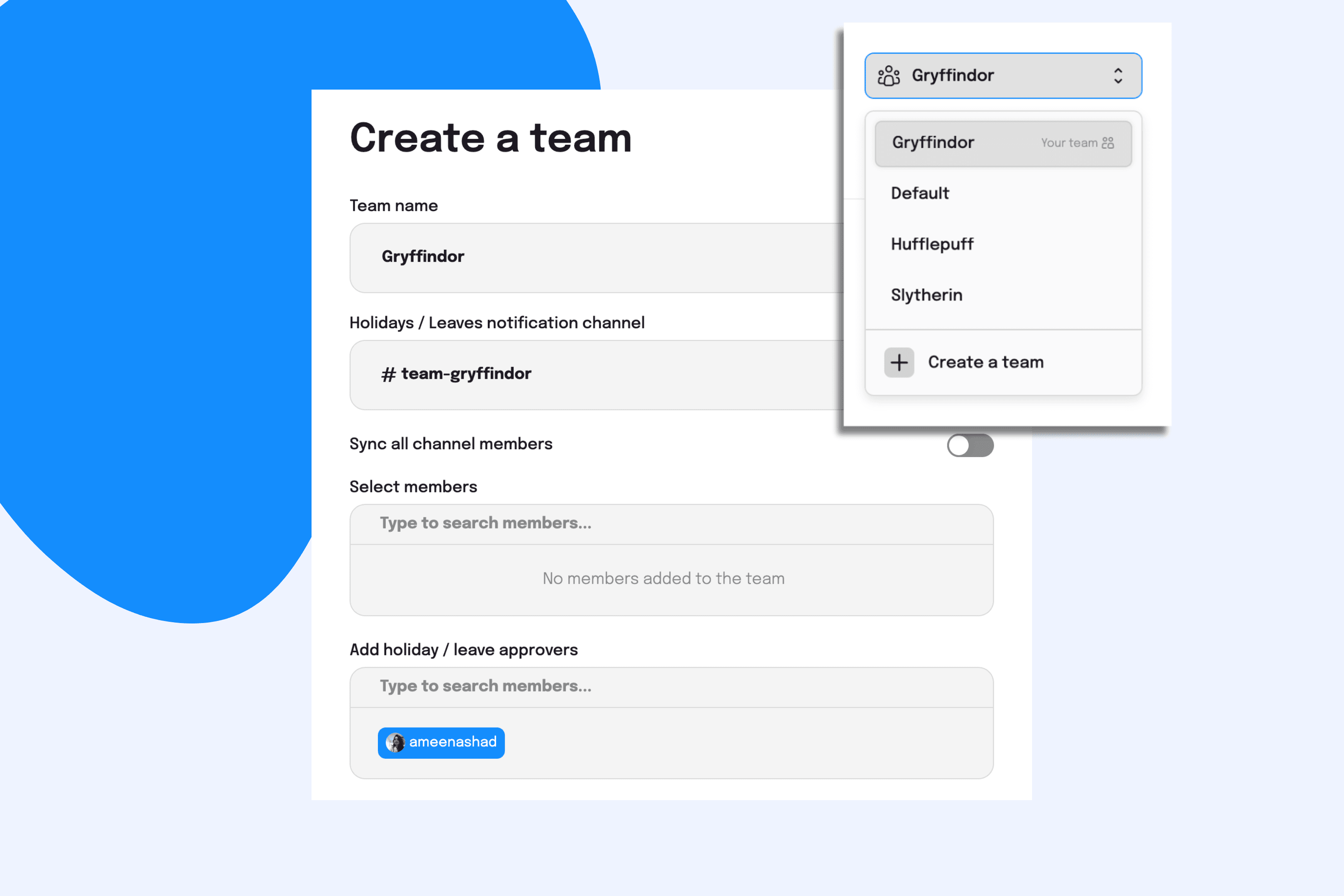
- ♟ Played our best move yet with team-based PTO tracking to gear up against other teams for our next Inter-Team Chess Championship. 🏆 Topped it up with location-wide holidays for Norwegians (jk, for everyone 🤭) to catch us next year in Norway sitting against the youngest world chess champion. 💅
- 🍒 🍒 lady, going through a motion, when you can add options, why stick to one? 🎶 That’s the song we played on loop while enabling multiple-option answers for forms on Slack! 🤭
- 🫳 You asked. 🫴 We delivered. The stats 📉 on Sup Bot can now be exported as CSV for easy sharing and analysis 🔬
- 🚗 Drove our follow-ups to an appointment with the stylist. They returned with a UI as dope as a fresh pair of kicks 👟✨
- 👀 Our holiday types woke up 🛌🏼 and chose confidence! 🤭 So, now you will find them in the title of all holiday messages on your chat tool. They really said rise and shine! 🌞
- 👗 Presenting our OOTD! Er, we meant ‘Observation On This Date’! 👀 Yep, now you can find dates on the follow-up responses on Webex and MS Teams to know the date the response was posted! 💯
- 🎃 Got into the Halloween mode-our workflows! Gave us quite a big scare 👻 till we stuffed their bags with treats. 🍭 🍬 🤗
18 Oct 2024
- 🪄 Swish and flick? Nope, even easier! Now switch your workspaces on the Sup Bot web app with just a single click. Simple, seamless, Sup! 😎
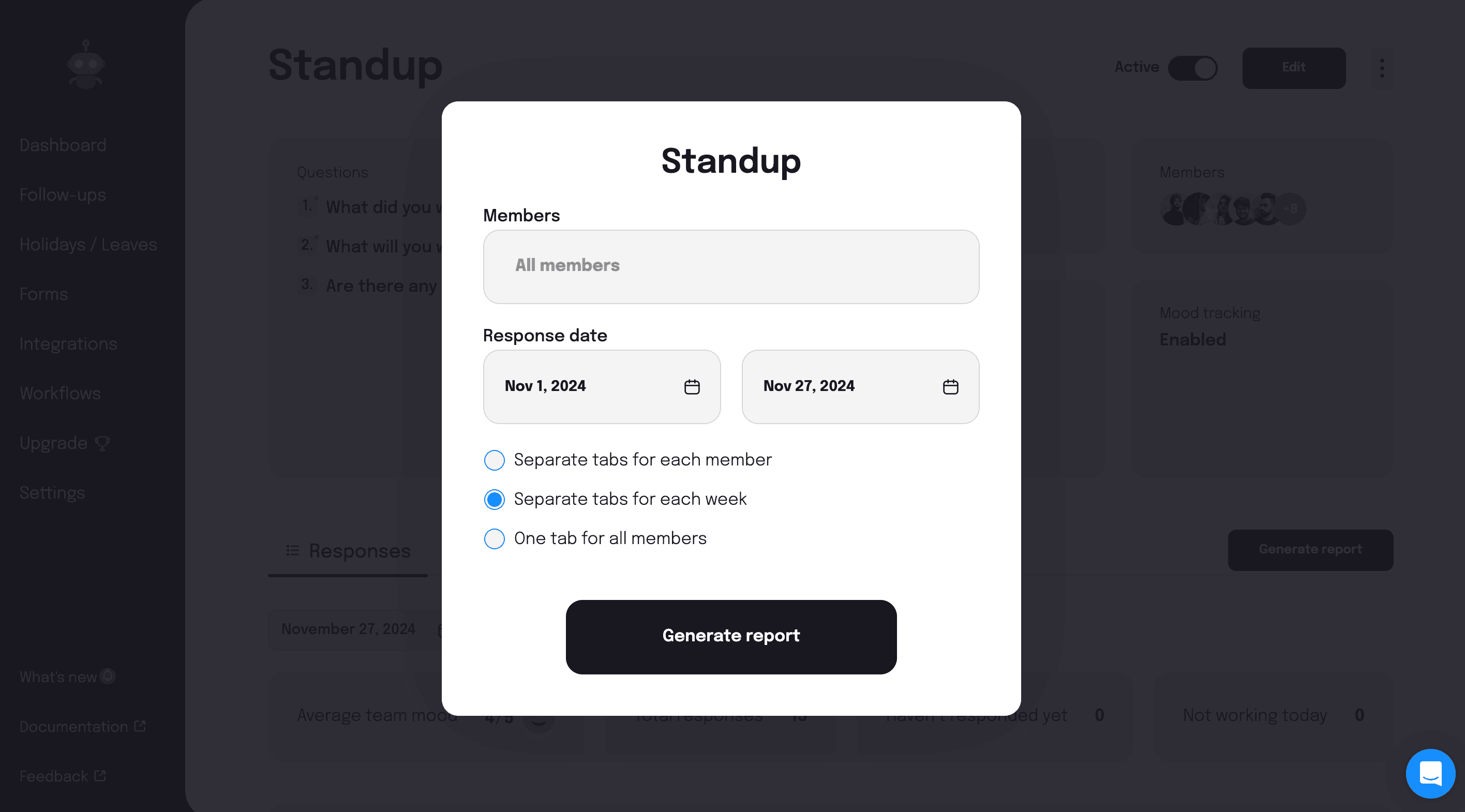
- 🧗🏻 Climbed mountains on the weekend to gather the follow-up responses of the last week strewn atop the summit ⛰️ and give them to you as organized follow-up reports with tabs for each week. Phew, what a climb! 😵💫
- 🔪 Shredded them into pieces. Not cabbages. 🥬 Everything that got in the way of giving you a seamless experience.🙂
- ➕ to or ➖ from your submitted responses in the forms on Slack and Microsoft Teams with our new edit feature for forms. Because perfection deserves a second look, too! 💅
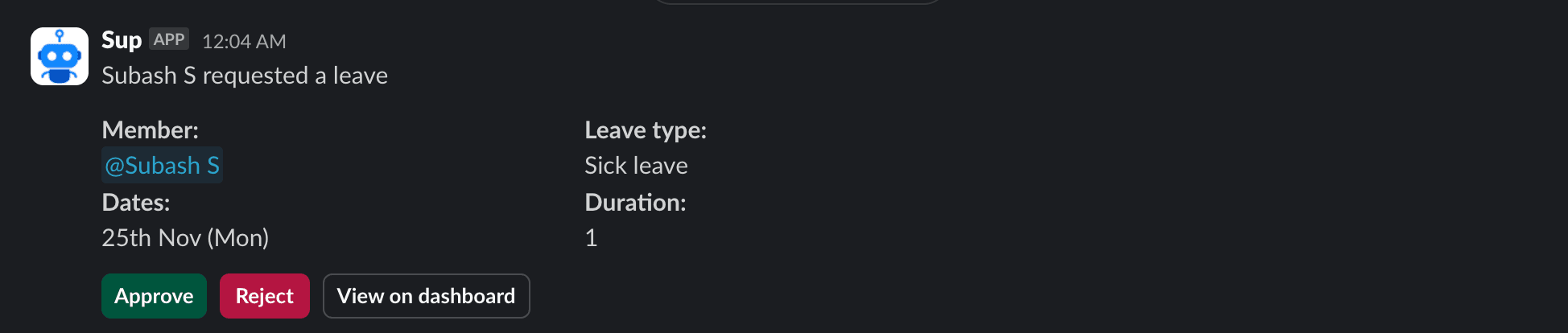
- 🤯 Manic Mondays or 🥹 Wistful Wednesdays, now find them all mentioned with other details in the holiday updates on your communication platforms for seamless team coordination. 🤝
- 🙂↔️ Nope, Nada, Nuh-uh. Sup Bot isn’t a goofball. 😌 With the ability to understand ‘no’ in all forms and automatically skip the blocker question for your standups, it is quite a linguist. 😎
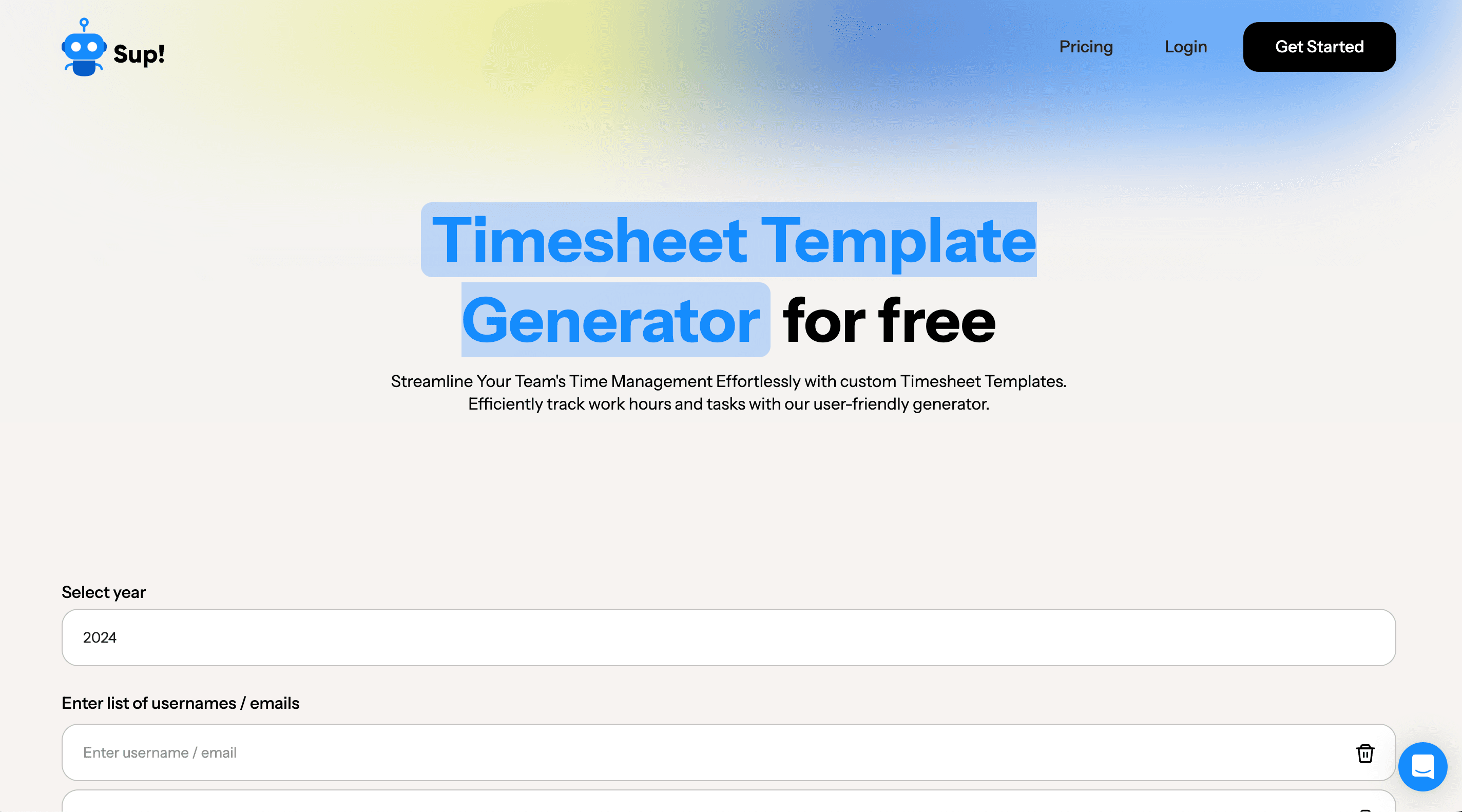
- 🙅♂️ Not the boomers, the millennials, nor the Gen-Zs, no generation can beat this generation. 💪 Generation of timesheets. 🤭 Now, generate timesheets for your employees for free with our free timesheet generator! 🤩
2 Oct 2024
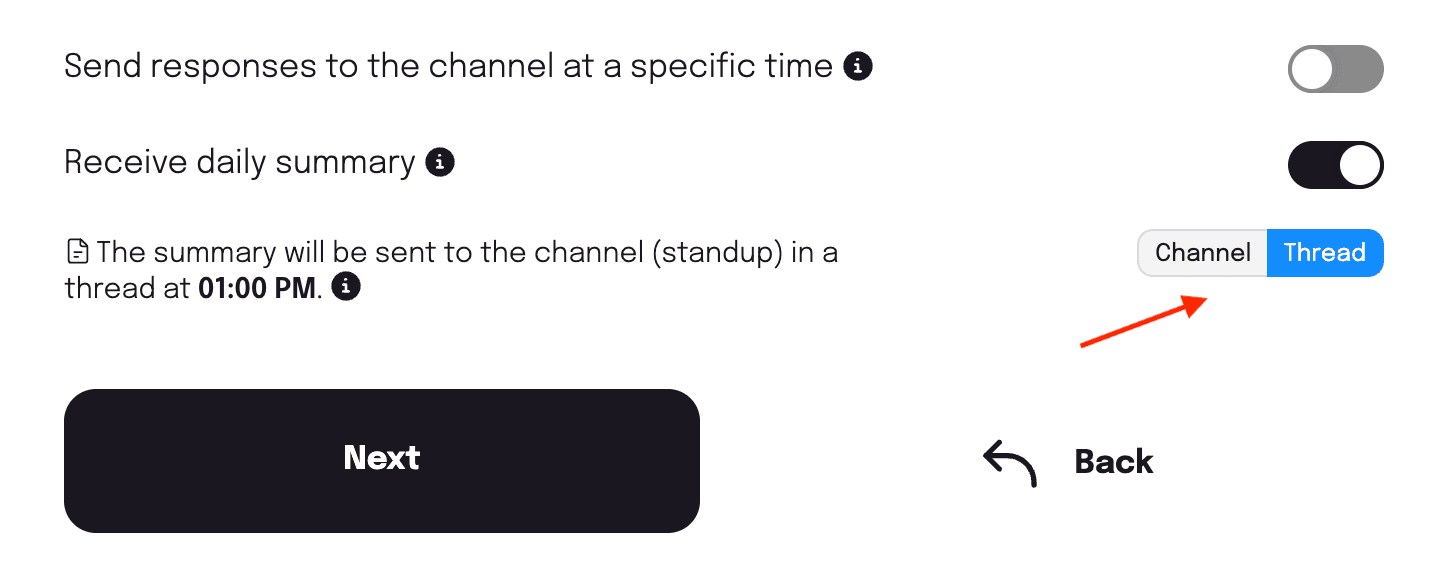
- 💬 As a message or 🧵in a thread, now choose how you want your follow-up summaries to be sent in the channel. The choice is yours. 🫵
- 🦸♂️ Avengers, assemble! That's what our workspace admins now hear 🧏 and look after the edit permissions in follow-ups when all managers abandon the post.
- 📸 Click to kick 🏃➡️ start answering your follow-ups. Now, use clickable links on follow-up questions to enhance your follow-up experience with just one click. 💯
- 🔘 Buttons for the win! 🙌 Now edit submitted responses on your conversational follow-ups using the new edit button. 💯
- ⛓️💥 Attracted cool UI ideas with our daily meditation 🧘sessions at Sup Bot. The dead legs after each session did pay off! 🥹
- 🏔Top of the world. 🌎 Er, top of the list. That is where we have placed the Team holiday option on the holiday types list now when a manager adds a holiday.
10 Sep 2024
- 🙇🏻♀️ Visual representation of us not missing an inch 🤏 of the app for checking all the text for errors. Our English professor 👩🏫 made her annual visit, you see. 🫠
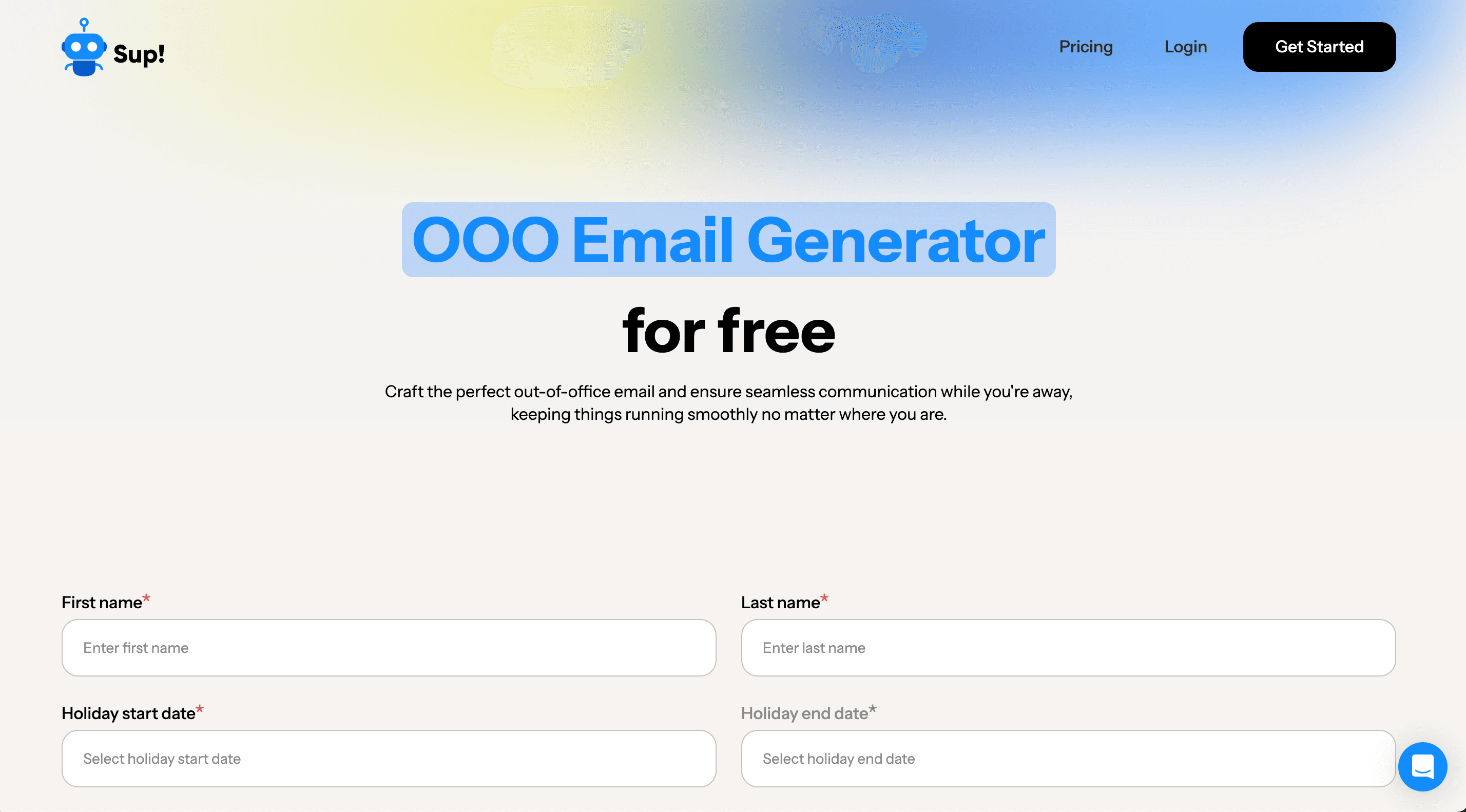
- 🫧 📧 Guess? OOO emails! 🤭 With our free OOO email generator. 🥳 All so that writing one is no longer a task for you and you can instead focus your energy on ensuring everything on that checklist 📝 is now in your luggage! 🧳
- ✋ Stop! That’s what we tell you now to ensure you don’t leave the pages on Sup Bot without saving your settings. Not all heroes wear capes, you know? 😌
- 📉Last year. 📈 This year! 🥳 Now view stats on the Sup Bot web app with easy filter options for the current year and the past year. Who knew tracking progress could be this seamless? 😉
- 🎀 Finished with a bow. Now Sup Bot, with its new UI enhancements, is ready to take over the New York Fashion Week! Never not on trend. 💅
8 May 2024
- 🎁 Here’s an Easter gift for you! Revealing to you our revamped website! 🥳 Redesigned and optimized for a new look and an optimized performance! 💪
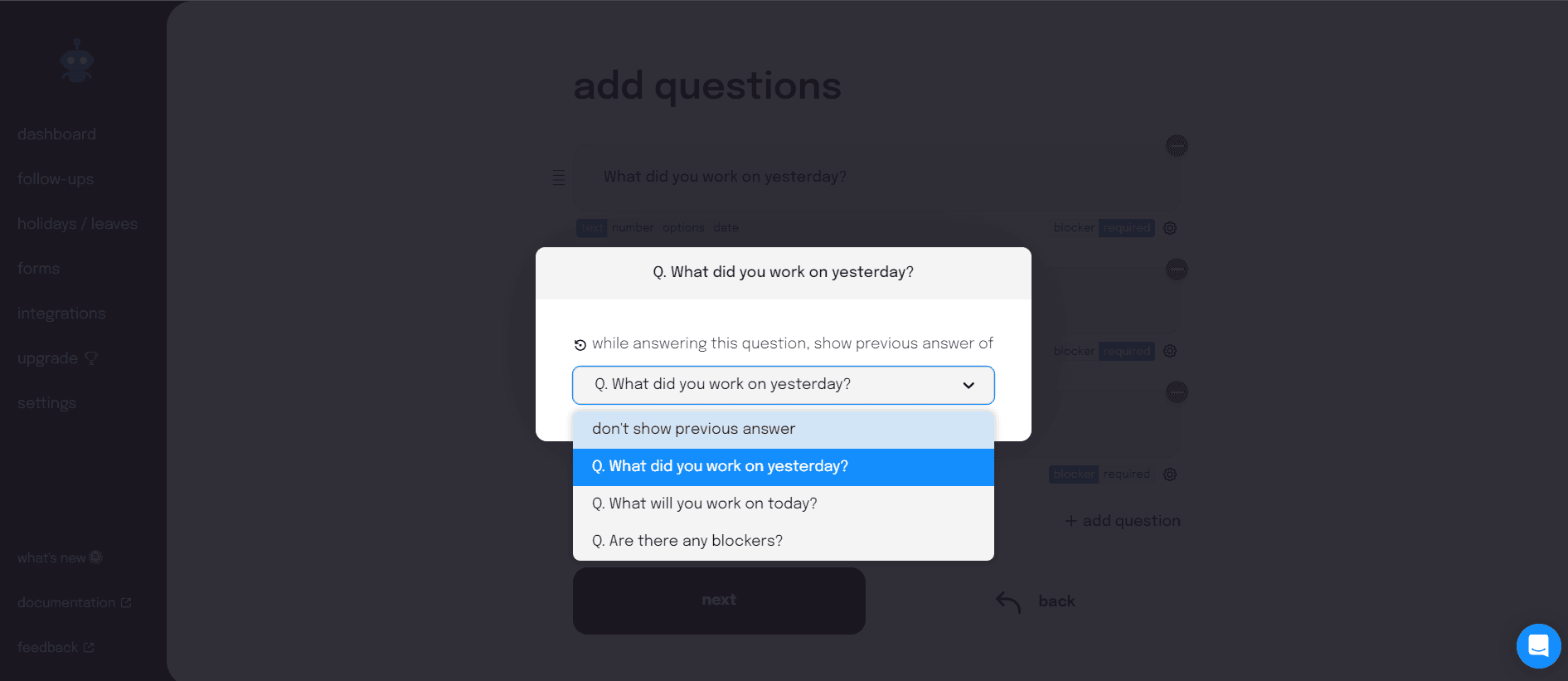
- 🌓 🌔 🌕 If this is how your memory loads every morning while answering what you did yesterday, we have news for you. 🤭 Now set the follow-up settings to view relevant previous answers while answering the day’s follow-ups! 🙌
- 🙅♂️ No more. No more messages that don’t give you the best of utility and a delightful experience! So, here we are 😇 with messages across the app that are well-timed and standardized. ✅
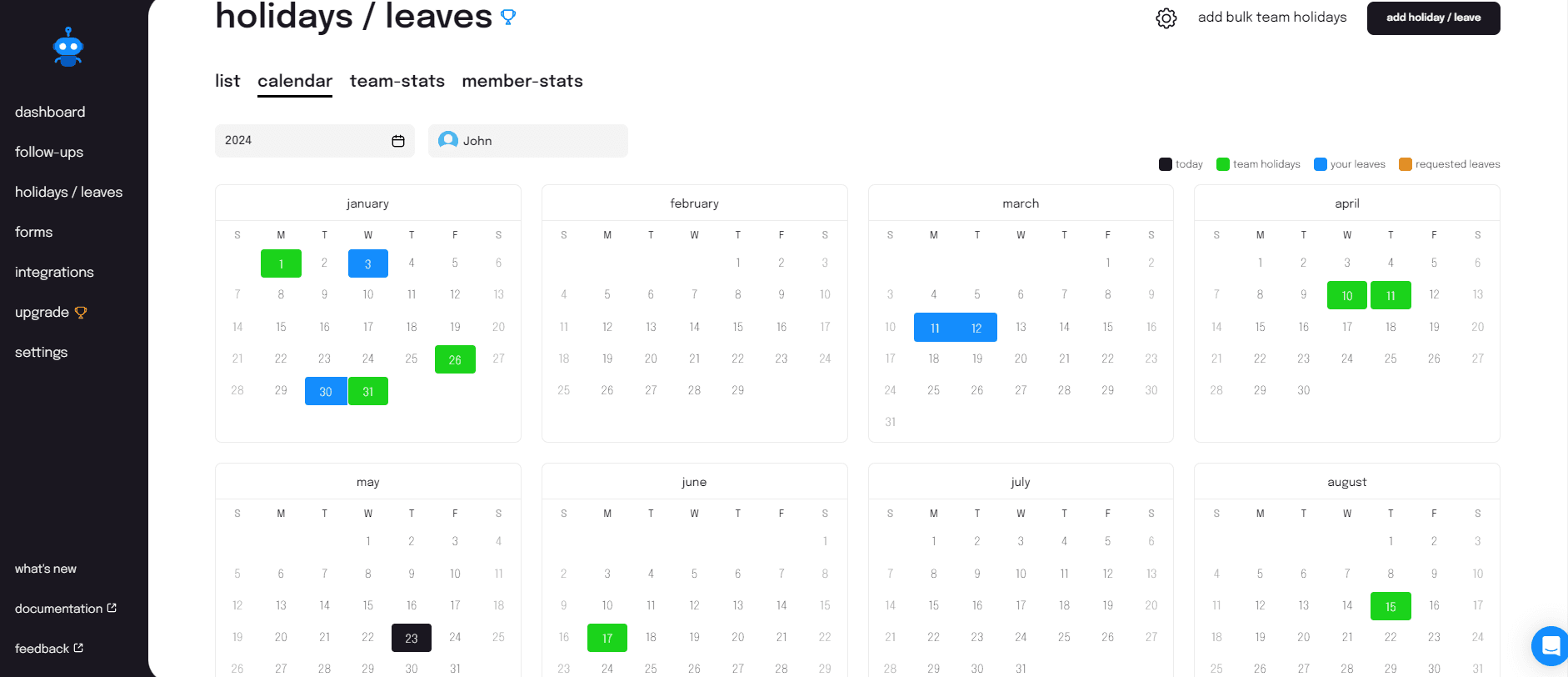
- Psst. ⚫ Black,🔵 blue, 🟢 green, and 🟠 orange-all are here to tell you something...👀 They are here to tell you about the status of your leaves and more! ✨
17 Apr 2024
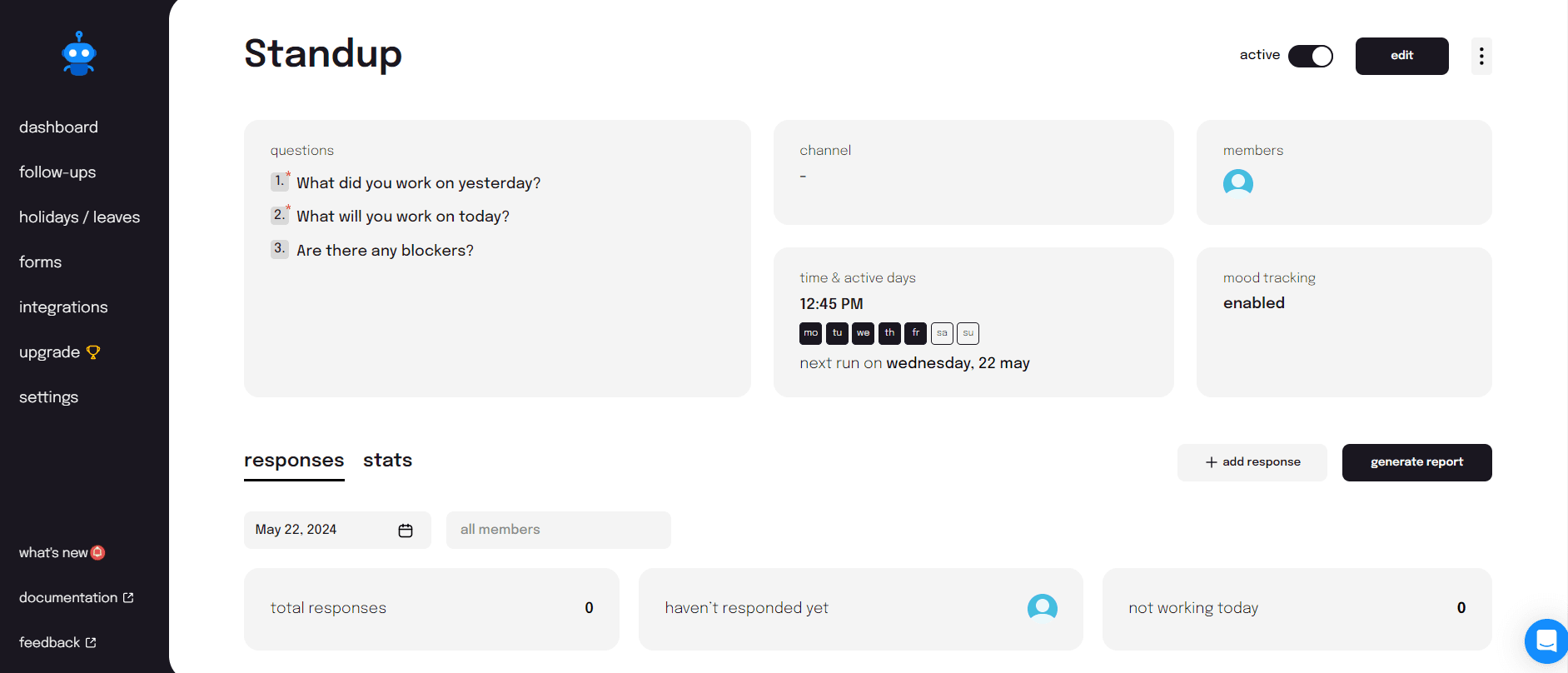
- 👩🍳 Cooked up a storm to present you with yet another way to submit your follow-up responses-via the Web app! Now find a button on the follow-up details page to submit your follow-up responses easily! 💯
- 🦸♂️ Got our super suits on to save the app from the onslaught of the 👾 bug monsters!
- 💇🏻 Groomed our holiday page to give you an experience that is more intuitive and a workflow that is streamlined. Poor interface who? 😏
- 🧐 Reviewed our messages across the app and enhanced them for better readability and comprehension. 💯
29 Mar 2024
- 🚔 Get in the car, we’re going to…show you our newest addition to our website-a Timesheet Generator! Yep, now follow 5 easy steps to stay on top of everything that’s cooking! 🔥
- 🎣 Fished out all UX issues and gave them a quick strong fix! 🔧
- ☔️ Rains or 🤒 ill health? What caused the leaves this month? Know this and more with the option to ⬇️ download monthly holidays!
- 💵 Fined? No. Refined your search experience across the app to give you search results that are most accurate and relevant. 💯
12 Mar 2024
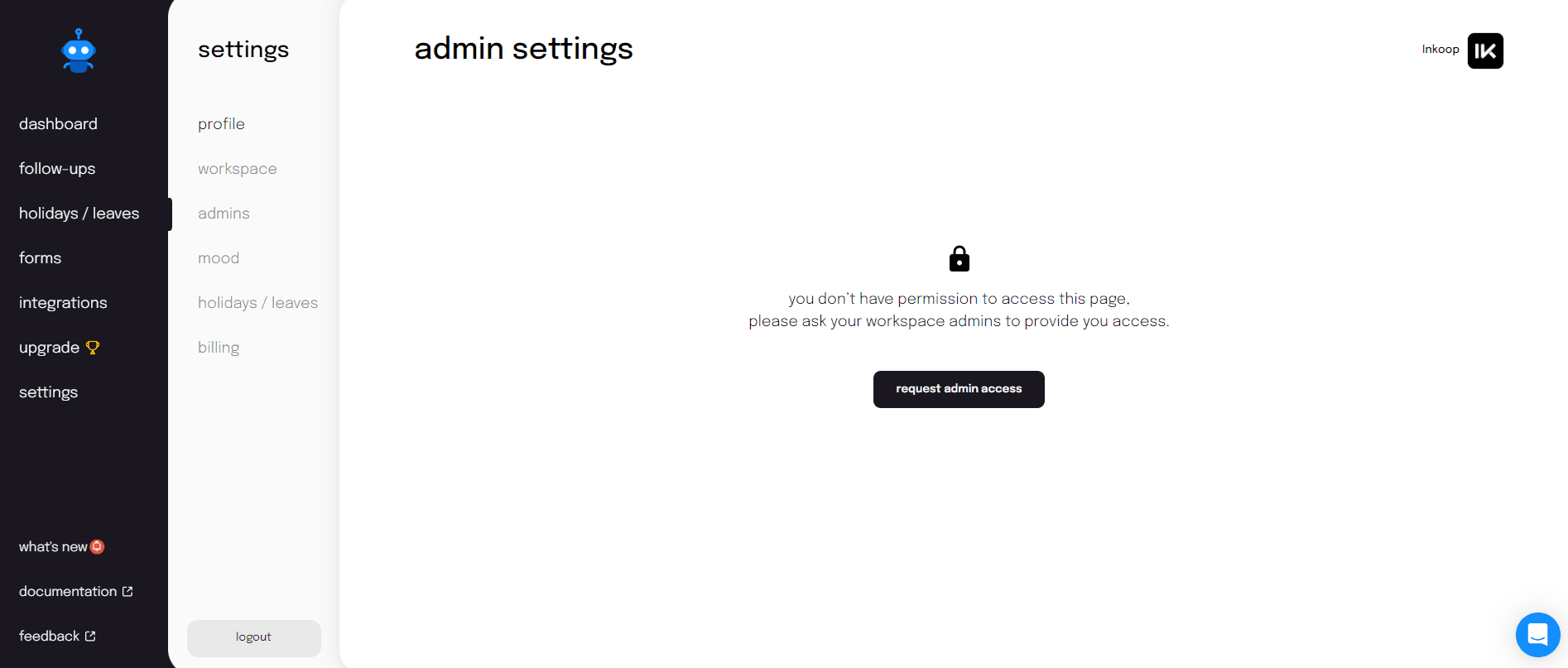
- 🚪 Knock knock! Who’s there? Lukart. Lukart who? Lukart the option to send and receive admin access request that we got you! 🤭You no longer need to contact the admin through multiple texts or calls to gain access. 🚫
- 🥷 Zapped a few bugs to eliminate errors and provide you with a flawless Sup experience! ✨
- 🏏 Hit the UX issues on the onboarding page and holidays out of the stadium! 💪
- 🎳 2 still remaining? We aren’t talking about these pins. We’re talking about your holidays! You can now view the total number of holidays remaining directly on Sup Bot. Already planning getaways using remaining leaves? 👀
- 🌠 Wished upon a shooting star for an enhanced Sup Bot dashboard for you. And guess what? 👀 Woke up to a cooler and clearer dashboard. Seems you are lucky for us! 😉
16 Feb 2024
- 🥁 🎷 Got these to announce the arrival of Sup Bot's Enterprise Plan! 🥳 Subscribe now to enjoy personalized data retention policy, self-hosting privileges, advanced security, and more!
- 👬 Twins? No, just duplicates. 🤭 Of? Forms! Yep, you heard that right. Now you can also duplicate forms on Slack and MS Teams. Try it out now!
- 🎬 And…cut! Now watch the ‘Follow-ups on Sup Bot’ with new UX enhancements to experience automation like never before! ✨
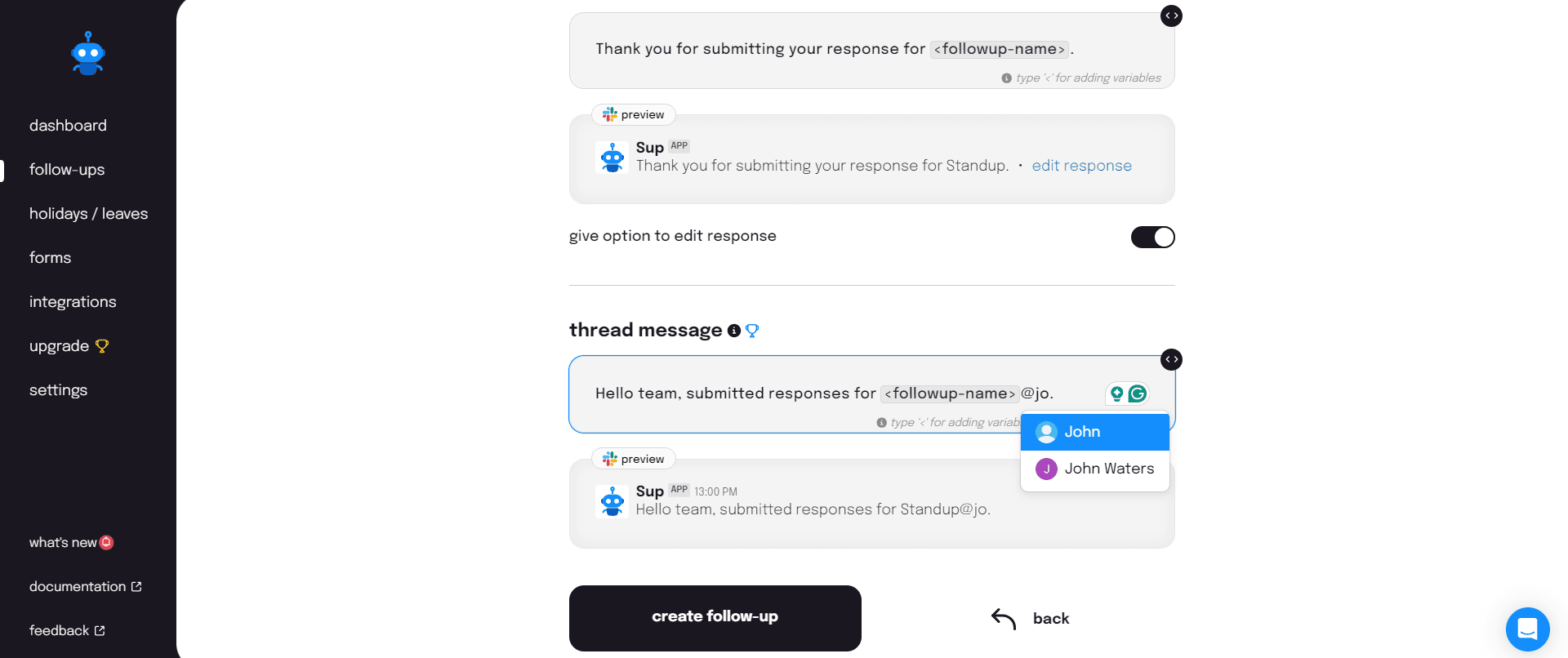
- ‼️ Get your team’s attention. Now easily 🏷️ tag your team members in threaded messages of all follow-ups to keep them informed of the submitted 💬responses, on the app.
- 🎩 Grabbed Willy Wonka’s hat to conjure up and implement UI that gives you a sleeker and smoother Sup experience. All hail Sup and the UI Factory! 🤭
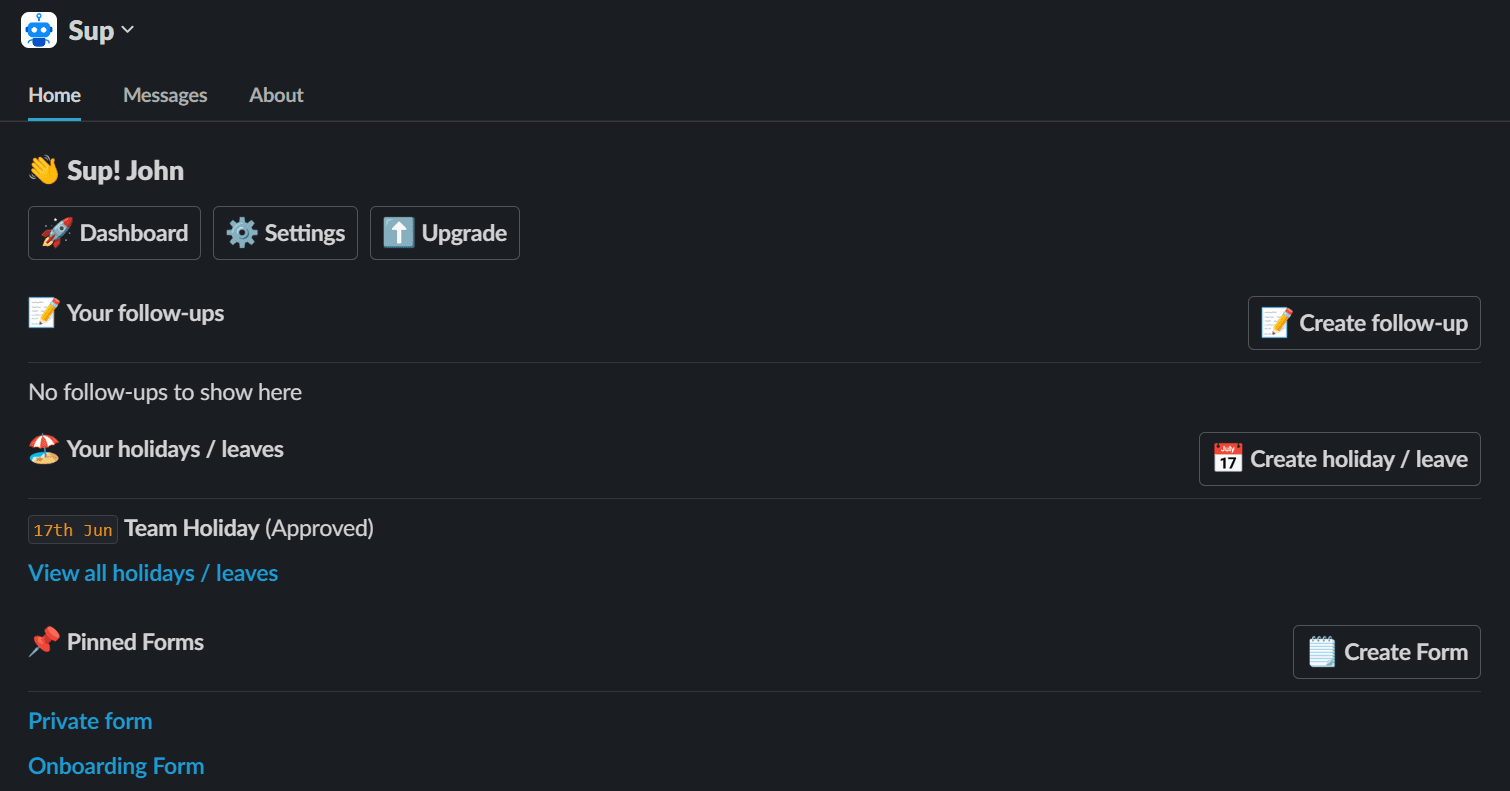
- 🐥 Tweety is here with some news! The Sup homepage on all communication tools has been revamped with more information and added functions. 💪 New look, new possibilities! 💯
30 Jan 2024
- 👨 Ben 👩 Pam 👱 Eddie and 👩🏽 Sam! No, they aren’t together for a jam 🎸 but to report their follow-up responses, Fam! Because now you can find consolidated downloaded follow-up reports of all members in a single Excel tab!
- ✒️ Penned down and added an improved flow for configuring holidays on SupBot Now experience the process with an enhanced visualization and smoother navigation! 💯
- ✊ Grabbed all SUP pages that needed UI enhancements and gave 🫴 them to our team. The results were 🧿 ✨
19 Jan 2024
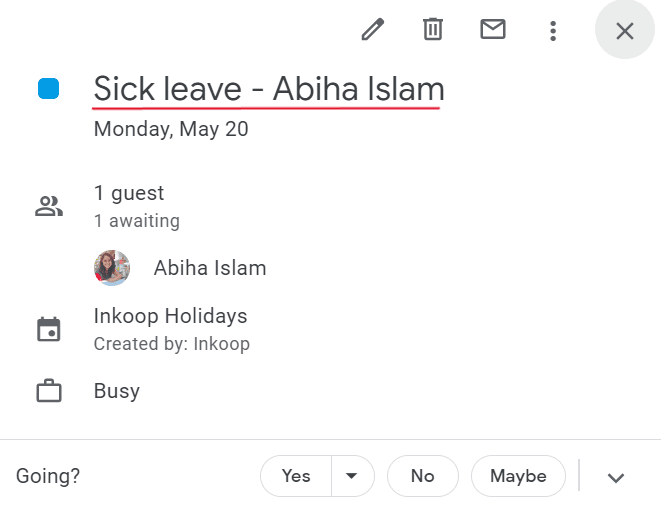
- 🕵️♂️: Absentees’ names on the Google Calendar leave card, please?-Oh, here it is, officer! ⬇️
- 🆕 year 🆕 list of team holidays! Now add all team leaves together at once because adding each of them separately is so 2024! 💅
- ℹ️ Full information. That’s what you demanded and we delivered. 🫡 Now on MS Teams receive full ℹ️ about individual half-day leaves, whether it was taken for 🌄 or 🌆
- 🔃 Weekly auto-sync for Slack admins. Slack admins can now be automatically synced as Sup workspace managers. Our goal is simple-to achieve simplicity. 💯
- ➕Added 🇳🇵 and more counties to our updated Holidays and Observances List for 2024. Its 2024, FOMO no more! 👊
12 Jan 2024
- 👀 Guess what we got for the admins? 📅 Calendar view for all holidays! Happy New Year to everyone but this one’s for just the Admins 🤭.
- 📄 Forms looking clean on 🤳 phones, innit? That’s coz we optimized the UI for improved visual consistency and usability.
- Smooth as 🧈 That’s what we’ve made the UX on Sup functions. Because a rich experience is our insistence. 💯
28 Dec 2023
-
🎁 A Christmas present from us to you- A Google Calendar integration with Sup for your holidays on SupBot Tracking holidays is now a 🍰 walk 🤭.
-
☝️ Friday,✌️ Monday, 👌 Tuesday… No more. Now find the total days of leave taken displayed on the holiday card. We’re talking ease of use here. 💪
-
🚛 A truckload of UI enhancements for an enriched user experience.
-
📥 Now ensure receipt of follow-up responses in the correct Slack channel with an initial test message to the same. Test and mark it 🆗 verified!
-
🪪 Identified. Your workspace on SupBot How? With your workspace name and logo on the Sup website. A cool logo there. 😎
06 Dec 2023
-
🎊 Had a mini party. Occasion? Our new URLs! 🥳 sup.today is now supbot.com. Gearing up for the new year? You bet! 💪
-
🚢 Shipped an extra ‘connect’ button on the Sup Google Sheets Integration page. Connecting the dots, er, cells was never easier! 🤭
-
🤌 Made minor UI adjustments to streamline your Sup experience.
-
🎐Make it easy breezy for your team members to take a break. Now set a default Slack leave status and make the holiday request process a step 👣 shorter.

-
🥽 Got the Vision Pro for you? Nope. But got you the ability to look behind the responses of individual follow-up members.🤭
20 Nov 2023
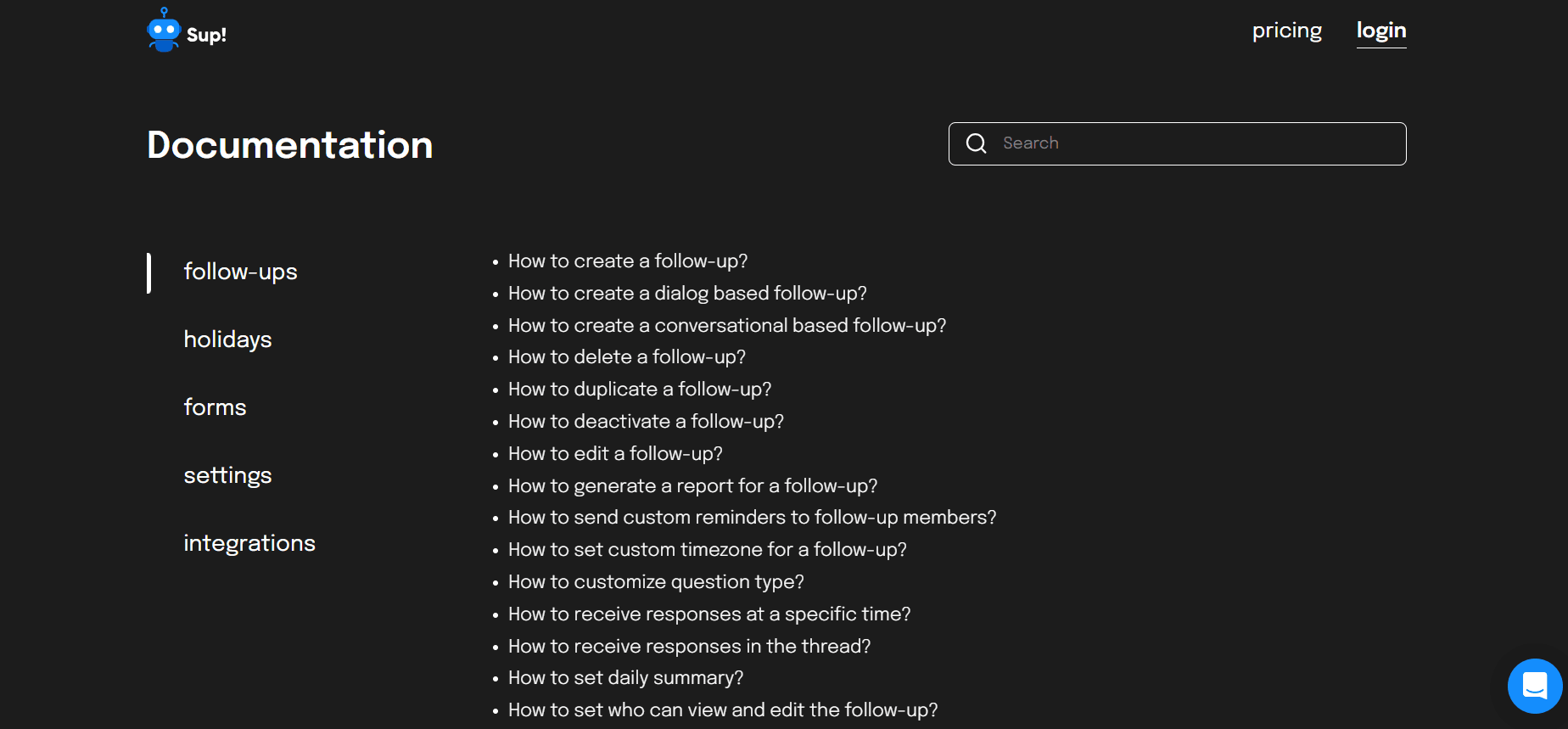
- 🧐 No more peering through your glasses to find what you need. Now simply type what you need in the search bar on the documentation page and go 'Eureka!' 🥳
- ♨️ Get it delivered steaming hot. Now check ✅ the statement for product updates on Sup's settings page to receive all that's cooking at Sup and more!
- 🫳 Now give those fingers a much-needed rest with pre-existing information on the holiday pop-up once you re-login to set your Slack status!
- 🫤 Disabled feature? Now also find out why it is so. 😌 With info tooltips across all features of Sup, you now know what to do to enable a disabled feature. 💯
06 Nov 2023
- ➕ Added UI enhancements to our blog page for a more organized and user-friendly experience.
- 🔵 is now 🔴 with 🔔. Guess what? Our animated icon above the ‘What's New’ section! Now more eye-catching and intuitive. 💯
20 Oct 2023
- 👀 The onboarding page now comes with an improved UI for greater visual clarity. ✅
- 👜 A bag of UI enhancements on the follow-up report generation pop-up!
- 🎯 Hit the bull’s eye-with supbot.com page compatibility on multiple devices. Now experience Sup’s powerful features on any other device the way you do on your PC! 💯
16 Oct 2023
-
💪 We just powered up. With another doorway to Sup for you! You can now add Sup to Webex to enjoy its cool features there! Now we have not 1️⃣ not 2️⃣ but 3️⃣ entry points to Sup. 👊
-
➕ Added a UI fix to our holiday settings page.
-
⛳ A clean putt. That’s what we’ve achieved with numerous UI enhancements for Sup on a mobile phone. Now get a Sup-er experience right on your hands!
-
🏀 A jumping basketball? No.🔵A jumping blue ball? Yes! We dropped one atop the ‘what’s new’ section so you don’t miss a single update about what’s hot at SupBot.
-
🍒 We cherry-picked the best way for you to pick your teammates for a number of features at Sup. Now experience an easier user selection across all follow-ups and forms!
-
🤭 'New year, new me?' Naah. Now make it 'new week, new me!' Because now Sup syncs your Slack profile image and name every weekend!
20 Sep 2023
-
👋 Sayonara to standups taking place at odd hours just because you reside in a different timezone than the company. Cuz we now bring to you standups with custom user timezones that ask you for responses at the start of YOUR day!
-
🕵️ Did you locate it? Yes, the onboarding page now comes with your workspace name and image on it right from the start. What we call a personal touch! 😎
-
🗼 France or🗽USA, now find a list of holidays for countries worldwide on the new 'Holidays and Observances around the World' section on Sup’s website. Opened a tab to check flight tickets already? 🫢
-
📲 It's on your phone now! Yep, you now get to use Sup forms on your phone the way you would on your laptop. Let the ease arrive! 💯
-
💡A UI enhancement for our blog page and holidays page!
04 Sep 2023
-
🥳 Major announcement! We’ve opened another door to Sup. Now you can enjoy Sup and its features not just on Slack but also on Microsoft Teams! Get your Teams on Sup now!
-
⬇️ Reduced visual noise. This is what we bring to you by having the 'Hide/show past holidays' toggle in view only when there are any leaves listed on the holidays page. Less clutter, more clarity.
-
🛹 Skated our way to improved formatting on our forms!
-
🍂 Fall is here but it isn’t just leaves falling. We’re dropping some UI changes too! Your holidays now have improved terminology on Sup and Slack. Because it’s time for pumpkin, spice and everything nice.
18 Aug 2023
-
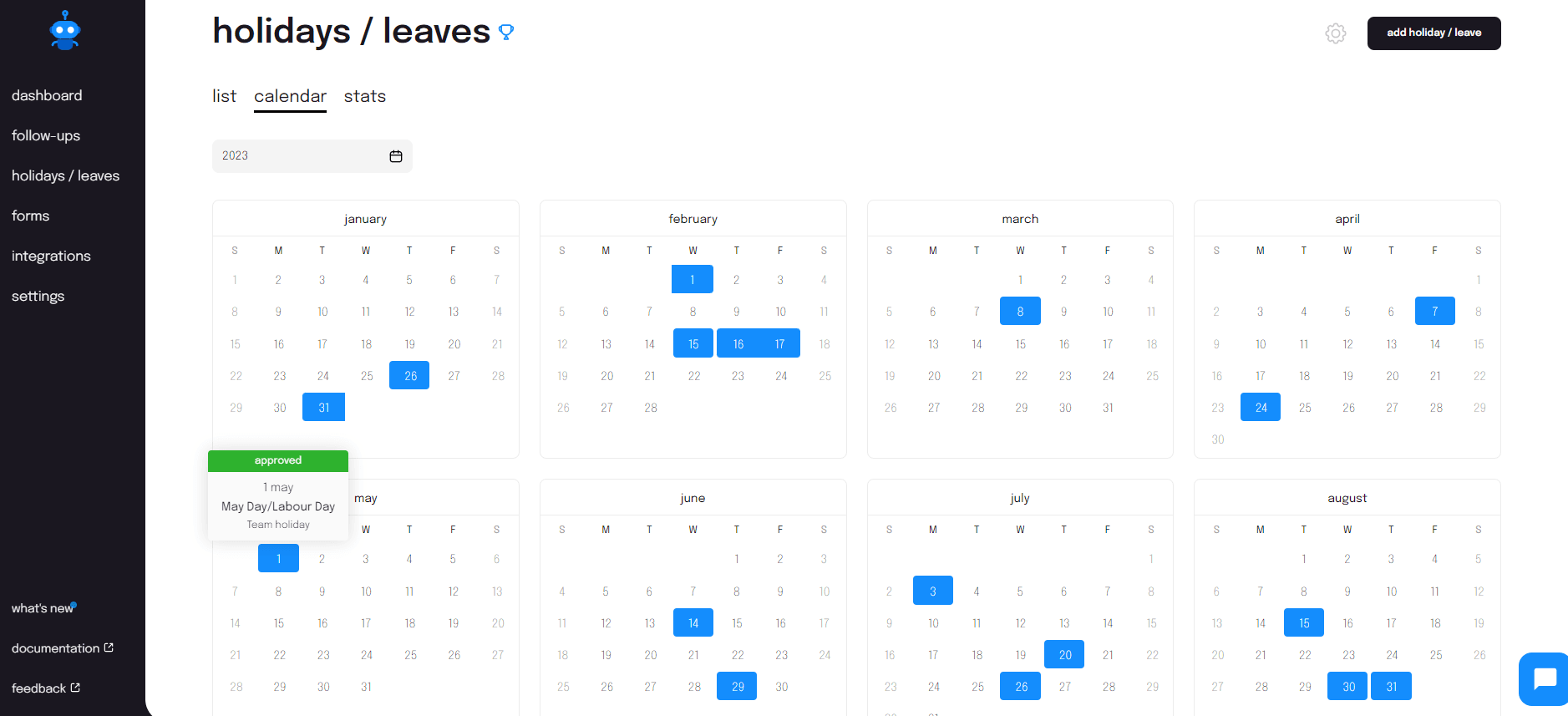
This one’s for non-admin members. Now grab a quick look at the work holidays on the Sup calendar to understand when you can plan your next trip! Easily identify your public holidays, approved leaves and requested offs adorned with coloured bands right on the calendar. Looking for consecutive holidays already? Gotchu! 🤭
-
🫣 Go hide now. What? Past holidays! Because Sup now has an option to hide your past holidays on the holidays list page. This then features only your upcoming time-offs. Why? Because the past is history… 🐼
07 Aug 2023
-
😓 Mondays are anyway hard. Remembering what you did last Friday is harder. This is why you now get to view previous answers on all your conversational follow-ups! Let’s give that head a little rest. 💆
-
💯 This one’s for you, holiday managers! Now you can reject holidays that have overlapping approved holiday dates from the same team member. So now we have less clutter and more clarity.
-
🏃 We may not know when we are going for our next morning run but our follow-ups definitely do. Now find the next schedule date on the follow-up details page!
-
📧 You got a new mail. Seems we have some good news! You can now find a list of all members on leave on a day right on the selected Slack channel. So no confusion, just great communication! 💯
24 Jul 2023
-
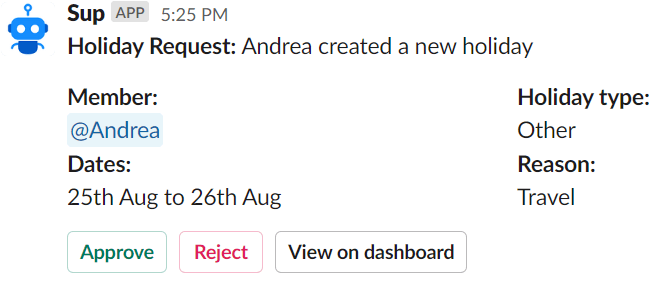
🤝 Good news for holiday managers. You can now find all time-off request details with an approve or reject button right on Slack. So, visiting the app page to view all team leave details can now be turned 📴
-
🔓 Unlocking another new feature for holiday managers! You can now state the reason for rejecting a holiday so that there is no misunderstanding between you and your teammate. Because clear communication = Increased transparency.
-
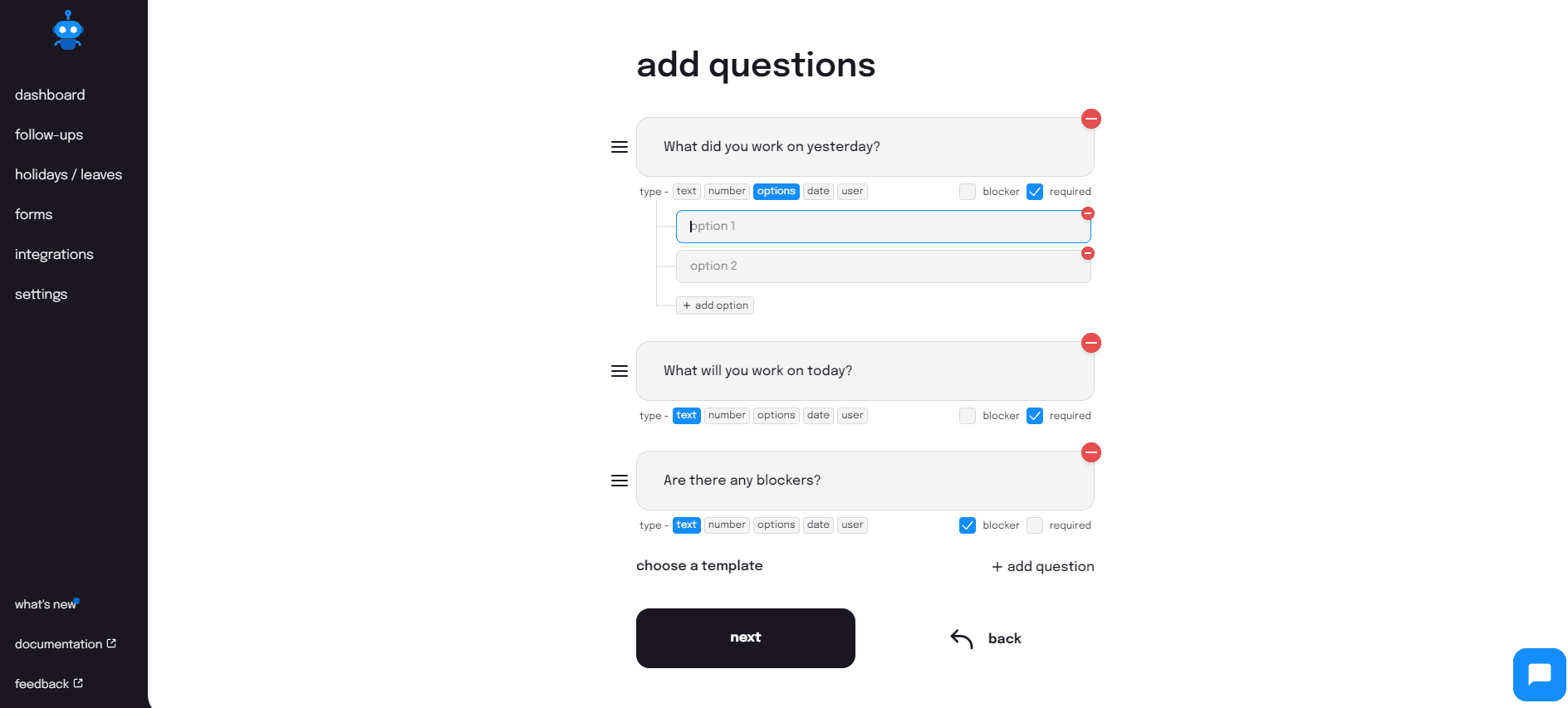
🤔 Got a question to ask? Ask it with our improved UI changes for questions on follow-ups. With the question types displayed in full view, you now know exactly how to frame your question and get that required answer!
-
➗ Divide. Yes, that’s what we’ve done with our holiday page for holiday managers. They now have a team stats tab to view holiday stats for all members and a tab to receive deeper insights into individual member holidays. Clarity - that’s what we aim for!
-
✋ Now give those fingers some TLC, holiday managers! Set a batch of holiday types to get auto approved by default and save yourself from manually approving such leaves. Customise your customise approval flow! ✊
03 Jul 2023
-
✋ Five is a vibe. This is why we bring to you a follow-up summary that tells you how your team is vibing today with both a mood score out of 5 and an indicative emoticon right on Slack. Friday tops, we bet!
-
🚪 Now choose your door to SupBot You wanna holiday in your way, create a form or start by answering a stand-up, we are happy to welcome you either way. Come in and start Sup-ping! 🕺
-
🔎 Looking for all SOS situations from a follow-up? Now find all of the team blockers right on the follow-up details page! Give those furrowed eyebrows a rest now.
-
🎳 Missed ‘em the first time? No worries, you get a second chance too! Just like how you can select your mood while updating your follow-up response, in case you missed adding them before. We got you! 🙌
15 Jun 2023
-
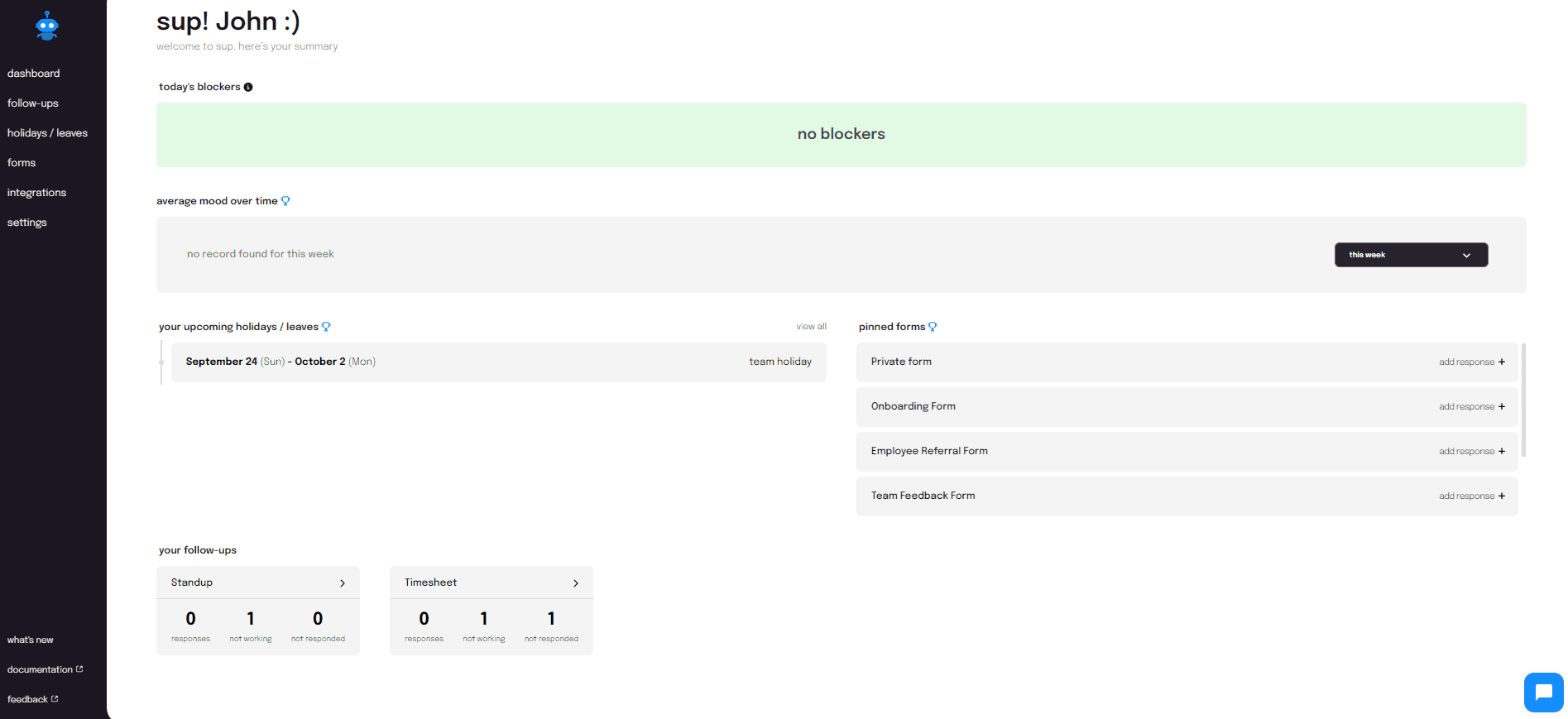
📢 Major UI update alert! The dashboard now gives you insight into day's blockers, team mood, upcoming holidays, pinned forms and your follow-ups. There's more! The sidebar now has a 'what's new' section for all that's live and kicking, the 'documentation' section for your Sup recipes and a 'feedback' section because we love to hear from you. 💯
-
⏰Tringgg! Your response for follow-up is not complete, please respond to all the questions in order to submit your response - This is the reminder you receive each time you miss answering any of the follow-up questions. No negative marking, we promise!
29 May 2023
- 📕 Our website now has a documentation section where you can find how to use the app features to your maximum benefit. Basically, a book of recipes with your favorite ingredient - SupBot.
15 May 2023
-
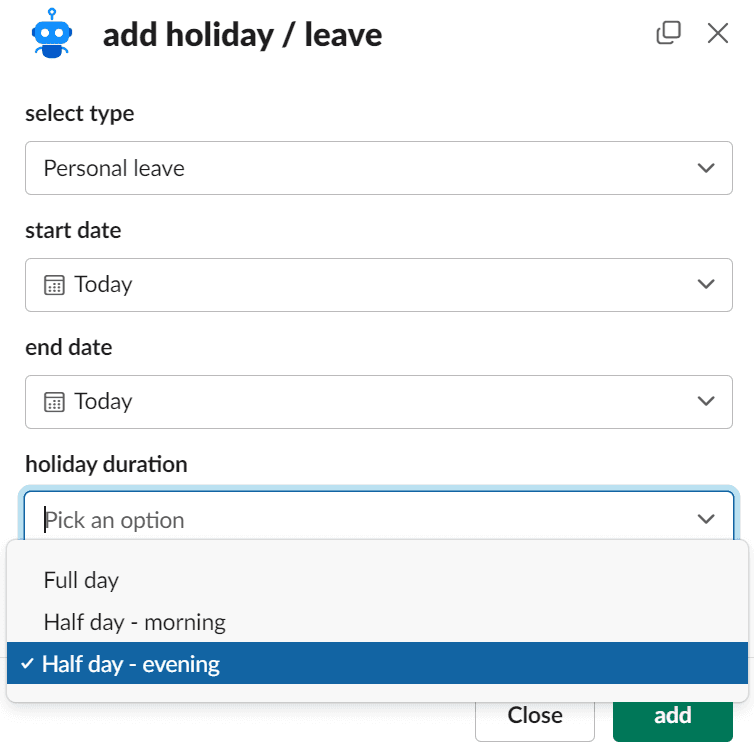
👀 The eye test as important as the deployment? 🧑💻 Half-day holidays are here to get both done! Now easily work half day and take a morning or evening leave as required.
-
☕ Psst, spilling some tea here! Our forms just got a fresh makeover. The forms list page is now crisper, the details page is now simpler and the new info cards just add to the oh-so-clean look!
-
📳 Ting! ‘Please submit your standup responses.’ Isn’t that the most annoying notification to receive when you’re sleeping in late on sick leave? We got you! You can now disable follow-up submissions on holidays so that there’s nothing between you and your sleep. 😴
-
⏲️ Every minute counts. That is why you can now set your follow-ups at additional time slots with 15-minute and 45-minute options on the minute dial. Now get those clocks, er, follow-ups ticking!
03 May 2023
-
No maths. Just stats. 😎 That is what the form details page now gives you for all the responses generated from a form. Table for text responses? Check. Pie chart for response options? Double check!
-
👀 New look, who this? Your very own Google Sheets integration page! The app interface now has a more intuitive design that speaks clarity and simplicity.
-
🔒 Lock away your billing settings from unauthorized views. You can now restrict who has access to the billing information from a new tab under the settings which has everything about admin permissions. We talkin’ tight security here.🕴️
-
Sinking features is not a good idea ❌. But syncing them most definitely is ✅. So, we bring to you a way to sync your selected follow-ups with Google Sheets to create a detailed follow-up report instantly!
18 Apr 2023
-
🔔 Hola amigos! Announcing our latest feature launch - the conversational follow-ups! Now chat with Sup to submit your responses, format the text as you wish and say adiós to losing typed information if you had to switch platforms.
-
📌 Tired of sharing the same poll form every time there is an office lunch? Now pin it on Slack for everyone to find it quick and easy. Er, do we know what’s for lunch today yet?

-
✂️ Cut yourself some Slack now literally! No need to go to the Sup interface to add a holiday. Do it all on Slack! Are we ready to grab that suitcase now?

06 Apr 2023
-
👀 Made a mistake in your form response? No worries. Use the edit option in the form details page to correct your response instantly. Smooth, innit?
-
🎯 D is for details. And that is what your follow-up reports now come with - Submission time details of each follow-up member. All because every detail counts.
-
⬜ We all love a clean board, don't we? This is why our holiday managers now get to have their own board dusters to erase all past holidays from the holiday list. Not needed, so why keep 'em?
28 Mar 2023
-
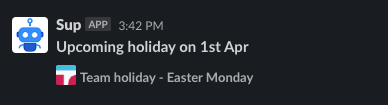
🐰 The Easter bunny is here early with an awesome news. You can now have reasons for all your public holidays mentioned on Slack. No tricks, just treats!
-
😥 Workspace, mood, holiday... it seems to be everywhere! What? Info tooltips! Ha, gotcha. Our settings page now has a revamped UI that makes the app simpler to understand and even easier to use.
01 Mar 2023
-
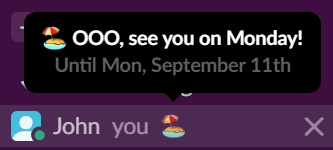
🏖️ Vacation mode on! Let your team know this and more through a simple Slack status when adding a holiday on Sup. Smell something burning? Oh, must be your teammates. 🤭
-
🪄 Hocus P(F)ocus! - Focus on our latest UI updates on the followup details page that make it more interactive and user-friendly.
-
🎨 Your holidays don’t just look good offscreen. They also look good on screen now. With detailed tooltips and improved color badges, the latest UI updates give the holiday details page a fresh makeover.
13 Feb 2023
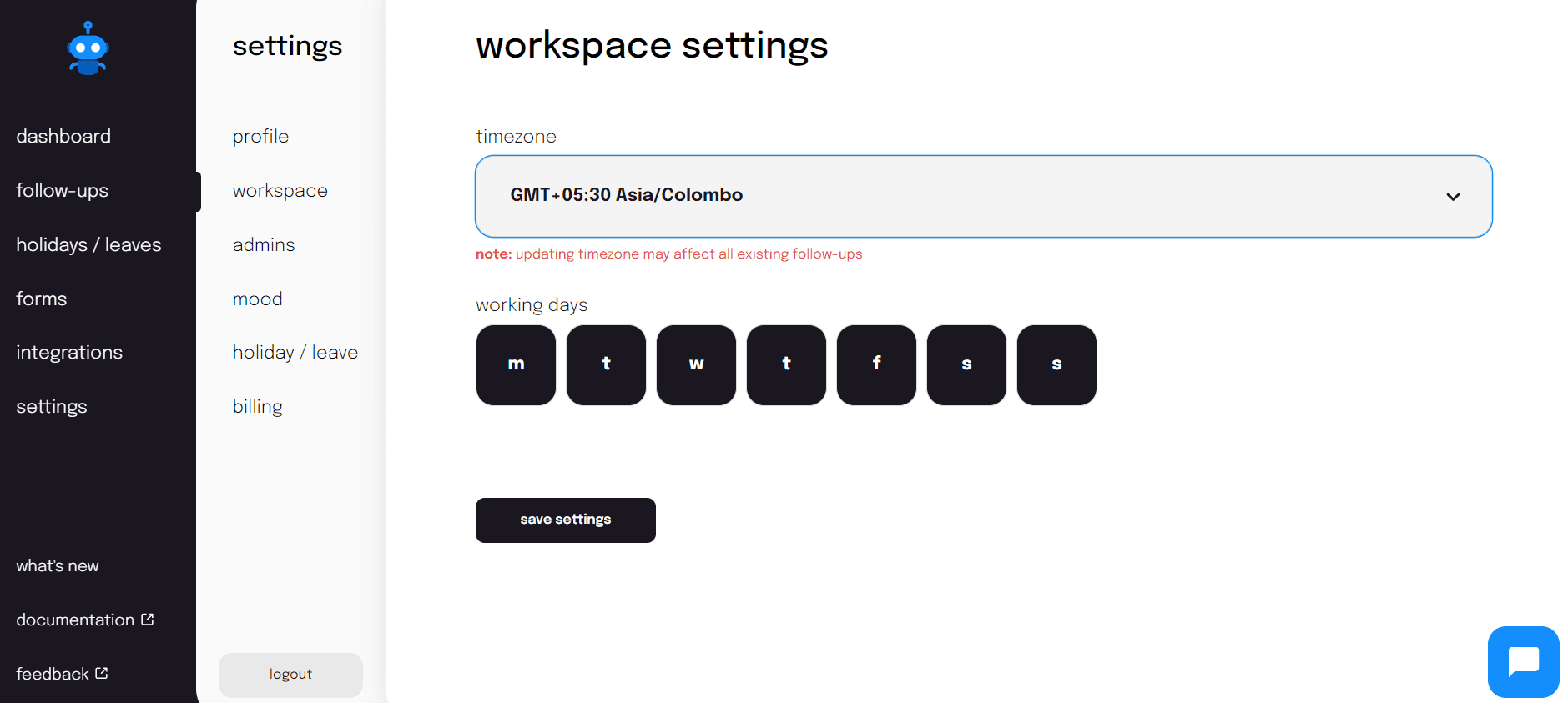
- 🌧️ Workspace, mood, holiday, billings - it’s raining new setting controls. Go explore and enjoy the downpour. On your mark, get, set-tings page!
- 📢 We heard you! Now you can export form details to find all the data organized in one Excel sheet. Because we excel the Excel way!
01 Feb 2023
-
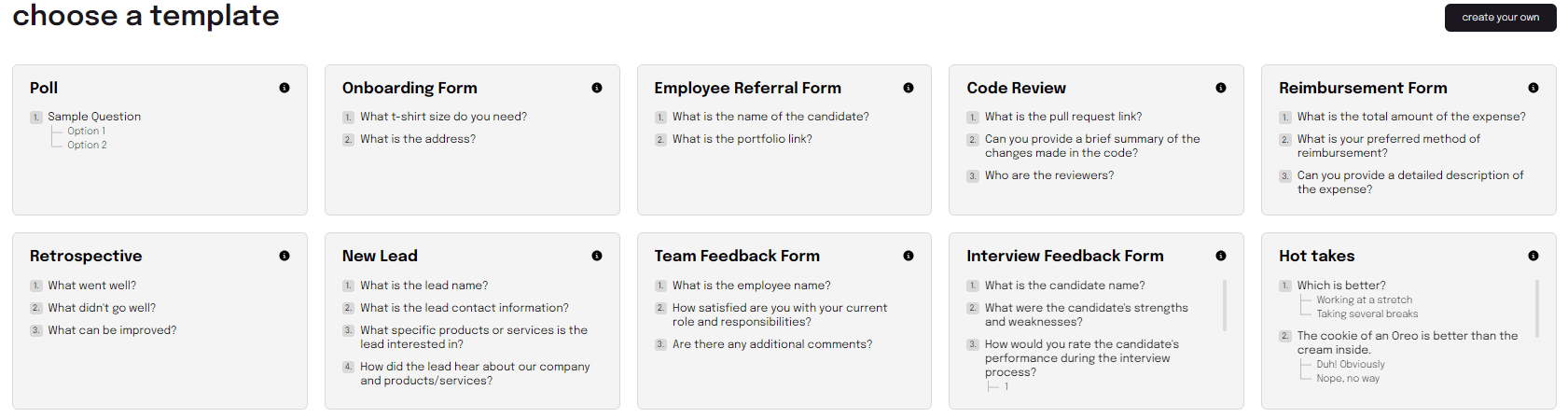
📦Ahoy! Delivery boy! Here is your package of new form templates right at your doorstep, er, fingertips. Reimbursement, referral, poll, go unbox all!
-
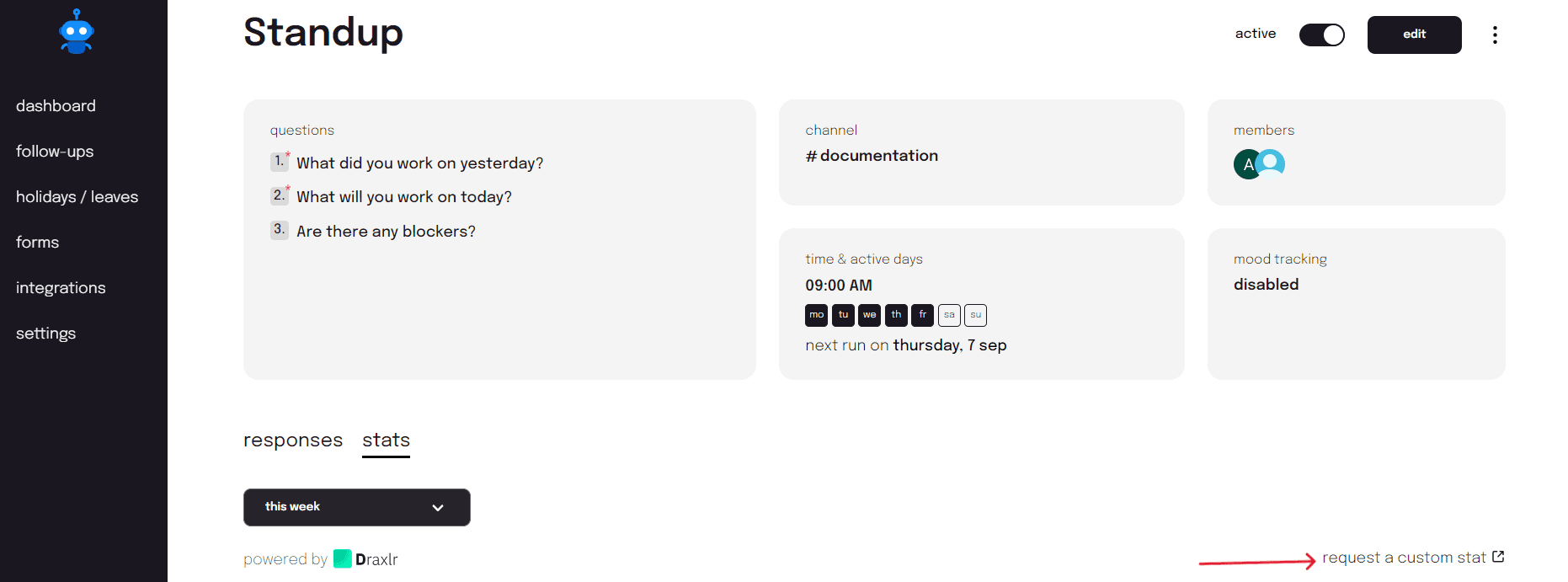
👷 We are happy to play Bob the Builder for you. Tailor your stats with the custom stat feature for follow-ups. You want, we build!
25 Jan 2023
-
Say hi to our new UX enhancement! Now receive customized alerts every time a team member submits a form response. One alert = one job done. 💪
-
☝️✌️👌No, no more counting like that. Now find the total number of responses right on the form details page. Give them eyes a much needed break.
04 Jan 2023
-
🚉 Create a form in Slack: Switch platforms to board forms? No, we don’t do that here! You can now create forms on Slack - your own platform 9 ¾ to quick form creation!
-
🔔 Ting! New notification: List of upcoming holidays for next week on Slack. This is what you get with our new feature in the new year! Happy New Year, everyone!
15 Dec 2022
-
📊 Introduction of forms: Heard of virtual meetings? Now hear of virtual forms! No more printing and distribution of papers for every small task. Create and share forms on Slack and become the official efficiency expert! 😎
-
🗞️ New question type: We’ve got news! Introducing a new data type for your follow-ups - user. Tag your team mates when you need assistance and get the SOS situation under control immediately.
-
➕ Holiday status enhancement: Your holiday card now has distinct details. Find your leave request status, holiday manager and the decision date all in one place. A mini memo from us to you!
06 Dec 2022
-
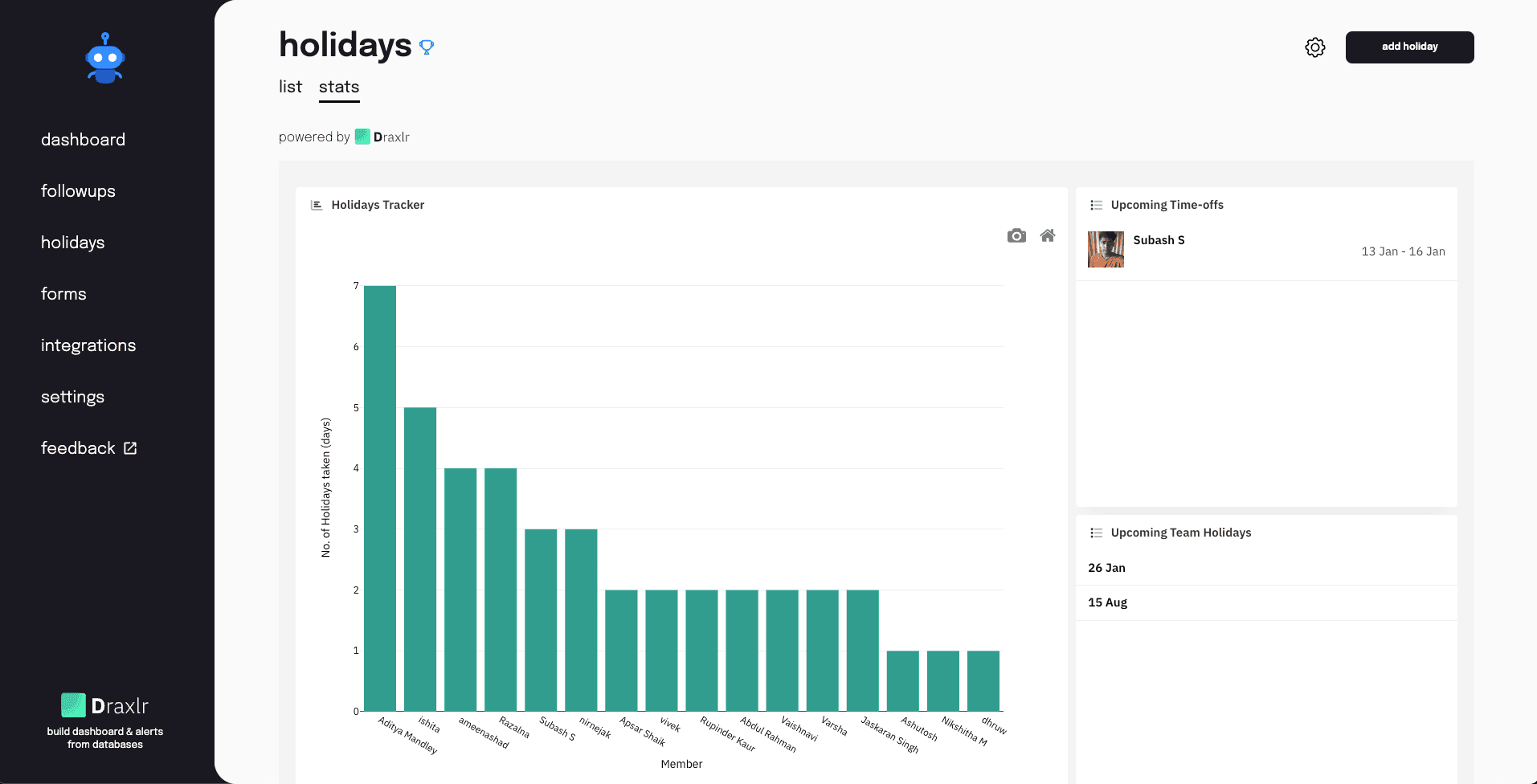
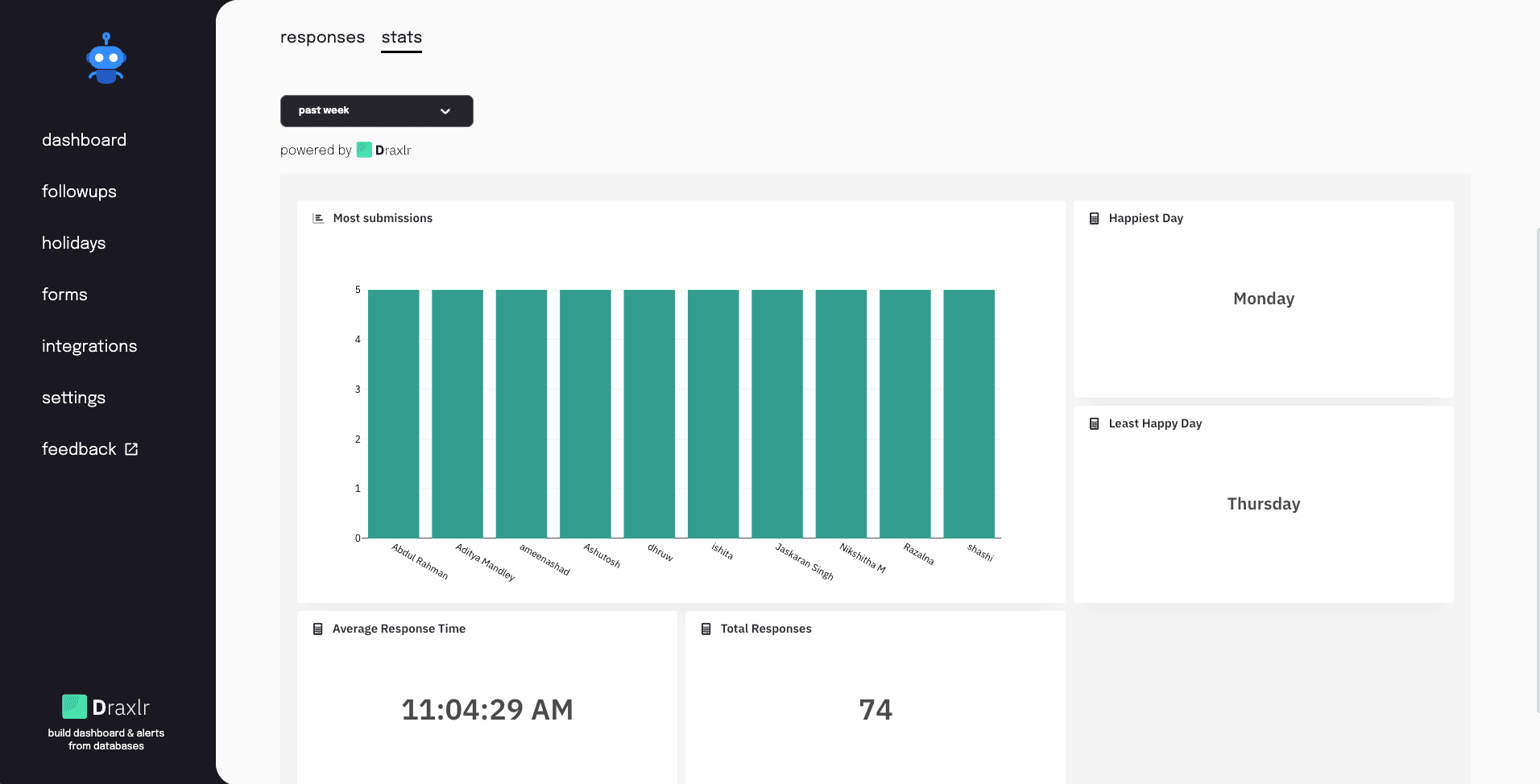
📊 Enhancement: We've added a stats page to our holiday tracker and follow-up's. This new feature will allow users to view detailed statistics and insights.
-
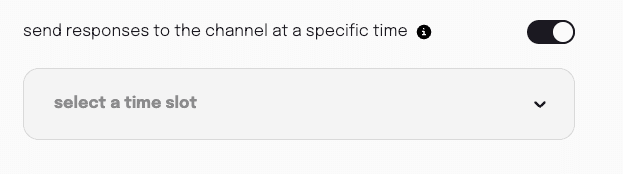
🔔 New Feature Alert: Tired of coordinating your team's messages? Let our sup bot be your DJ, now team members can submit their responses at different times and the bot will play them all at the right time. A DJ for your team's conversational needs!
18 Nov 2022
- 📈 Holiday Tracker has gotten better(Improvements made to tracker)!!
- 🎁 A complimentary trial of our holiday tracking feature is now available for existing users.
14 Nov 2022
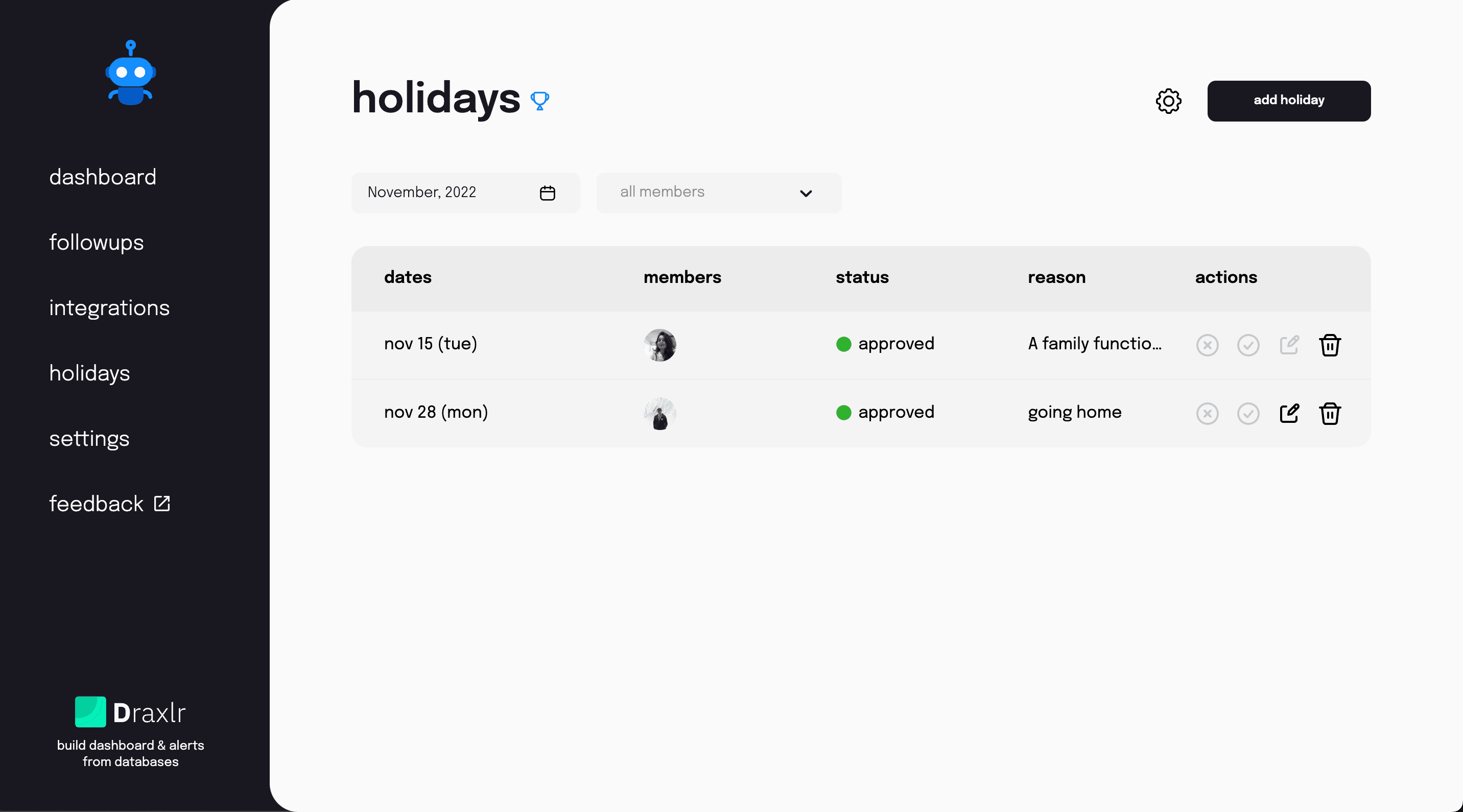
- 🏖️ We launched Holiday Tracker!!
20 Oct 2022
- 🔴 Highlight Blockers: In the Slack channel, blockers are now highlighted in red to indicate that they require more attention.
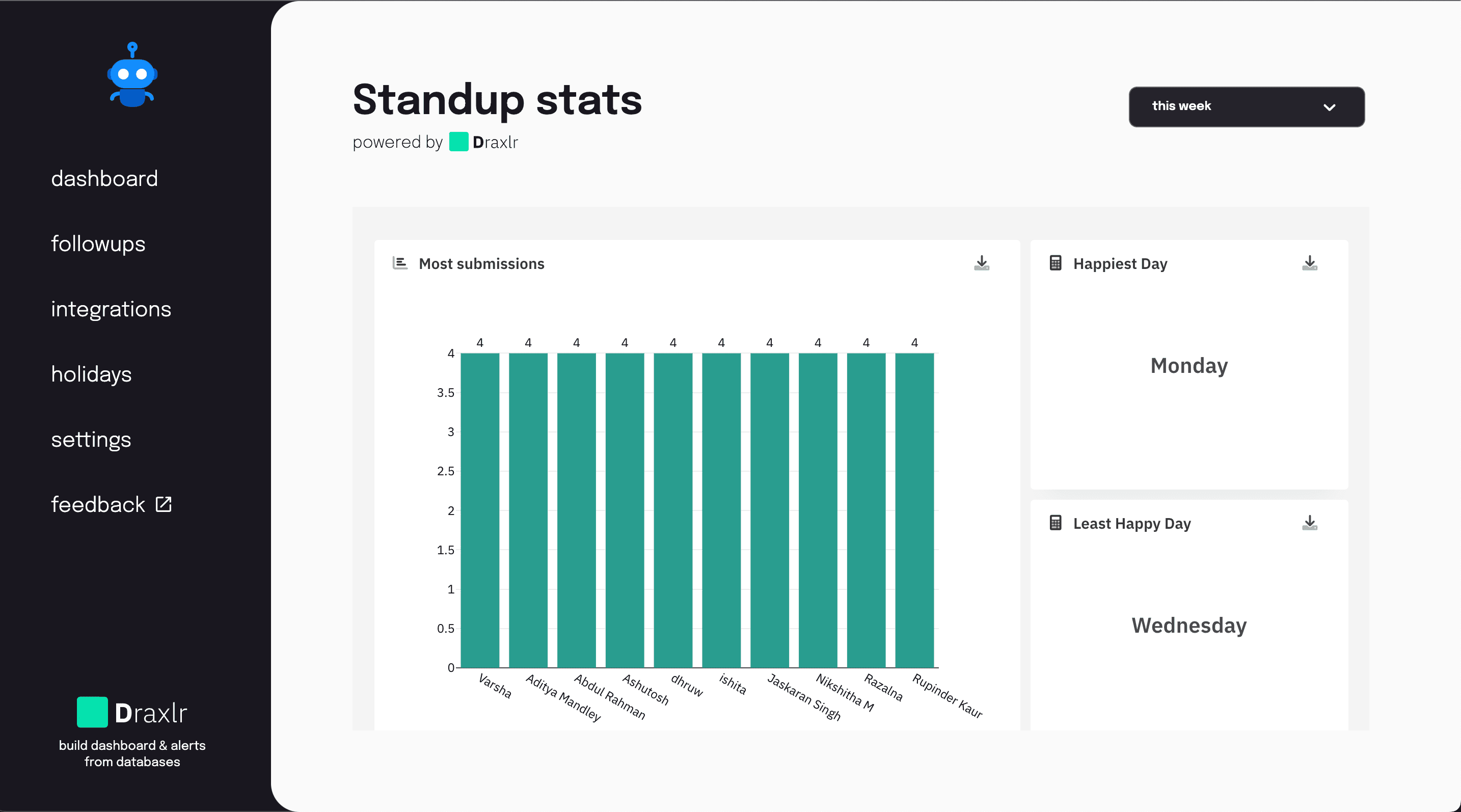
- 📈 Followup stats via Draxlr
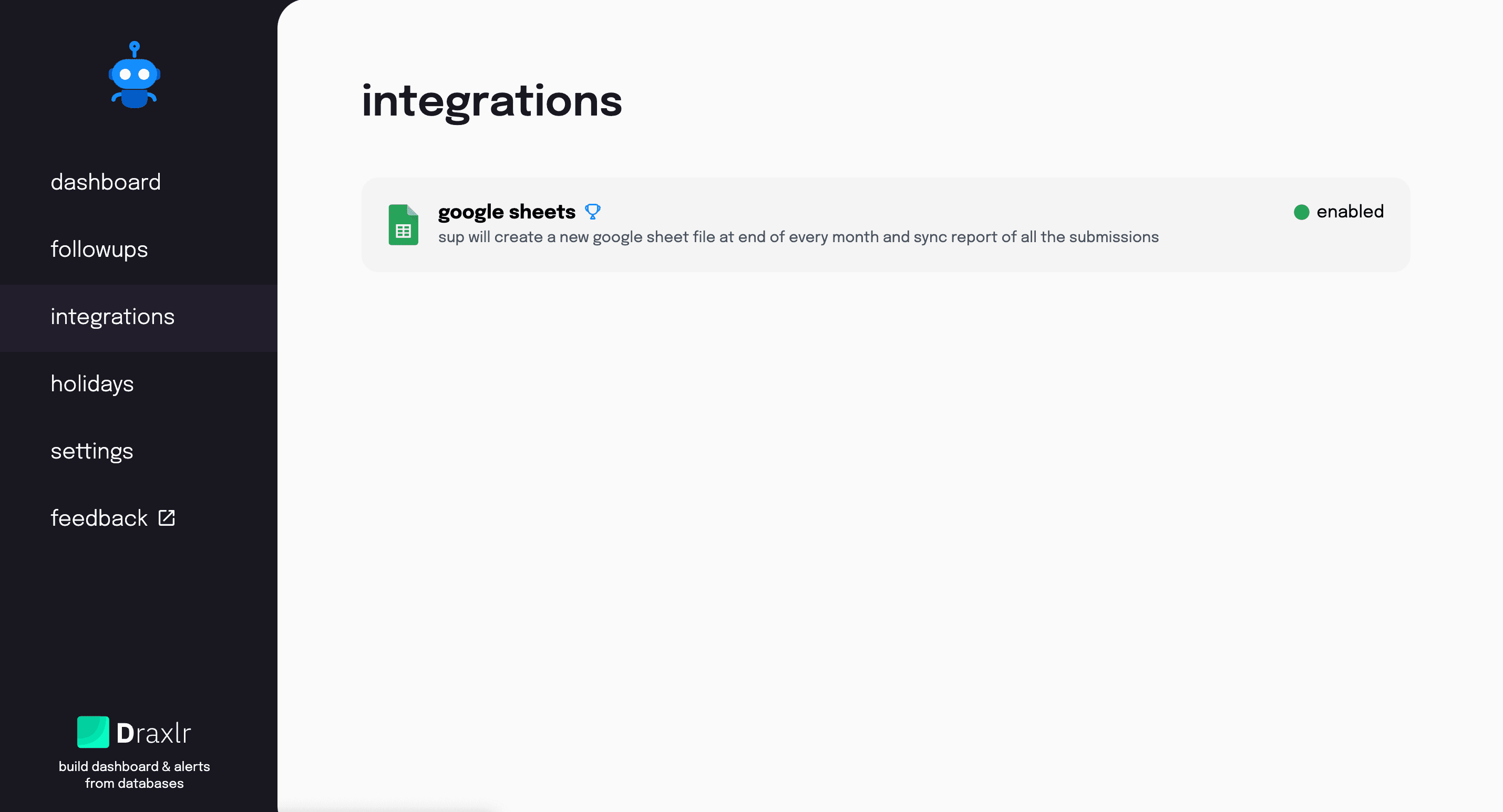
- 🤝 Google Sheets: We enjoy integrating! Connect GoogleSheets to Sup, and at the end of each month, Sup will create a new file in GoogleSheets for the follow-up with the monthly report of all members.
- 👨💻 UI/UX improvements.
- 🏆 Clearly distinguished between pro feature and standard feature.
12 Oct 2022
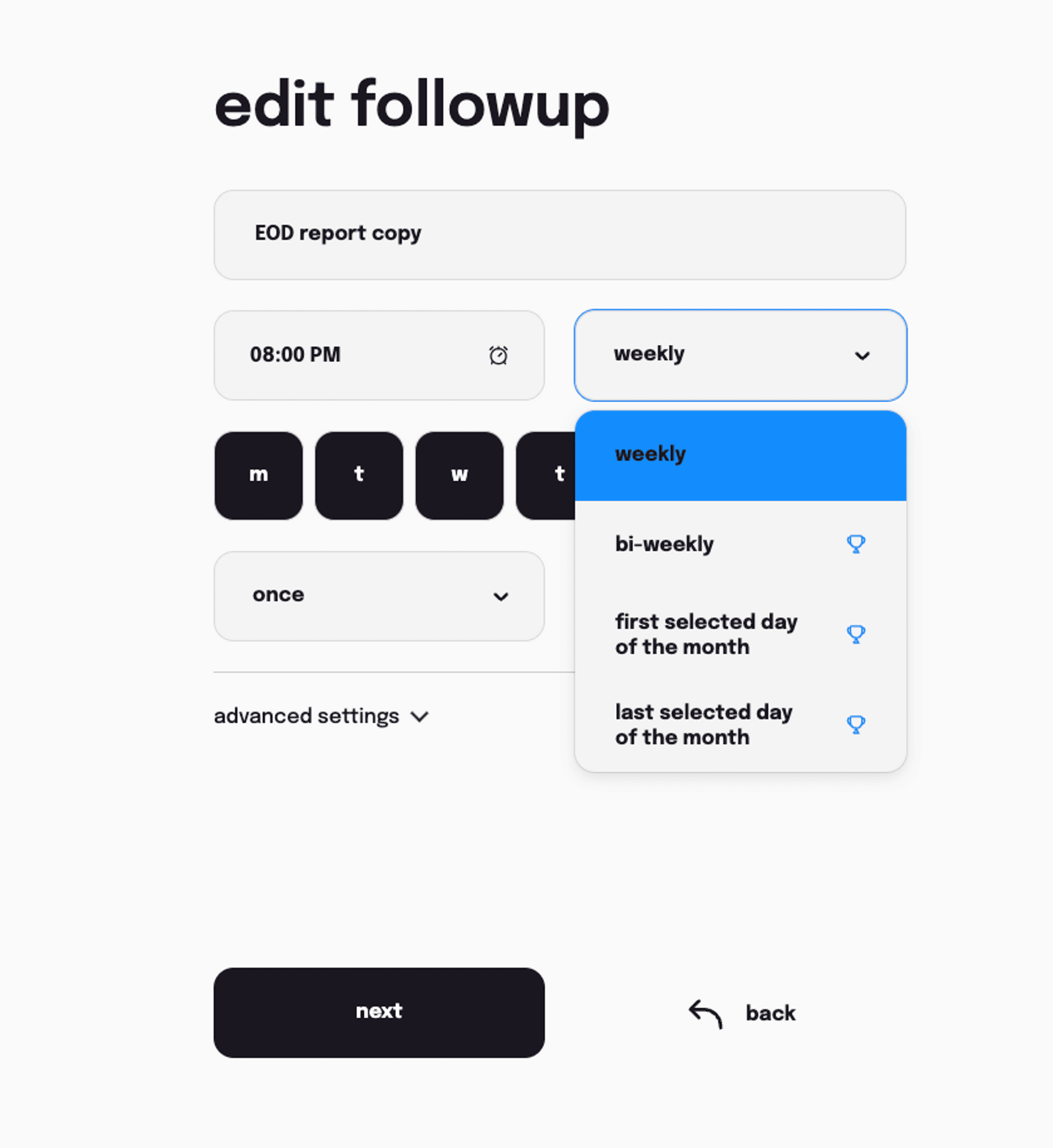
- ⌛ New follow-up frequencies are available. You can customize your follow-ups to be weekly, biweekly, or monthly.
- ✍️ Followup summary: After two hours of follow-up, the Slack channel will receive a summary of the number of respondents, members on leave, average mood, and pending members.
- 👋 When the member receives the initial follow-up message, additional specifics have been added.
- 🔔 Notify: When a team member posts a follow-up response, there is now a way to notify the appropriate people by tagging them in the channel conversation.
21 Sep 2022
- ✏️ Duplicate follow-up: It is now easier to create similar follow-ups by simply clicking the duplicate button. Watch the video on YouTube
- 🐛 Bug fixes.
- 👨💻 UI/UX improvements.
09 Sep 2022
- ⏳ Followup level timezone: You can now trigger follow-ups based on a custom time or workspace timezone.
- 🥳 Preset templates: We are pleased to announce the launch of follow-up templates. You now have templates for retrospectives, daily standups, timesheets, EOD reports, weekly standups, etc.
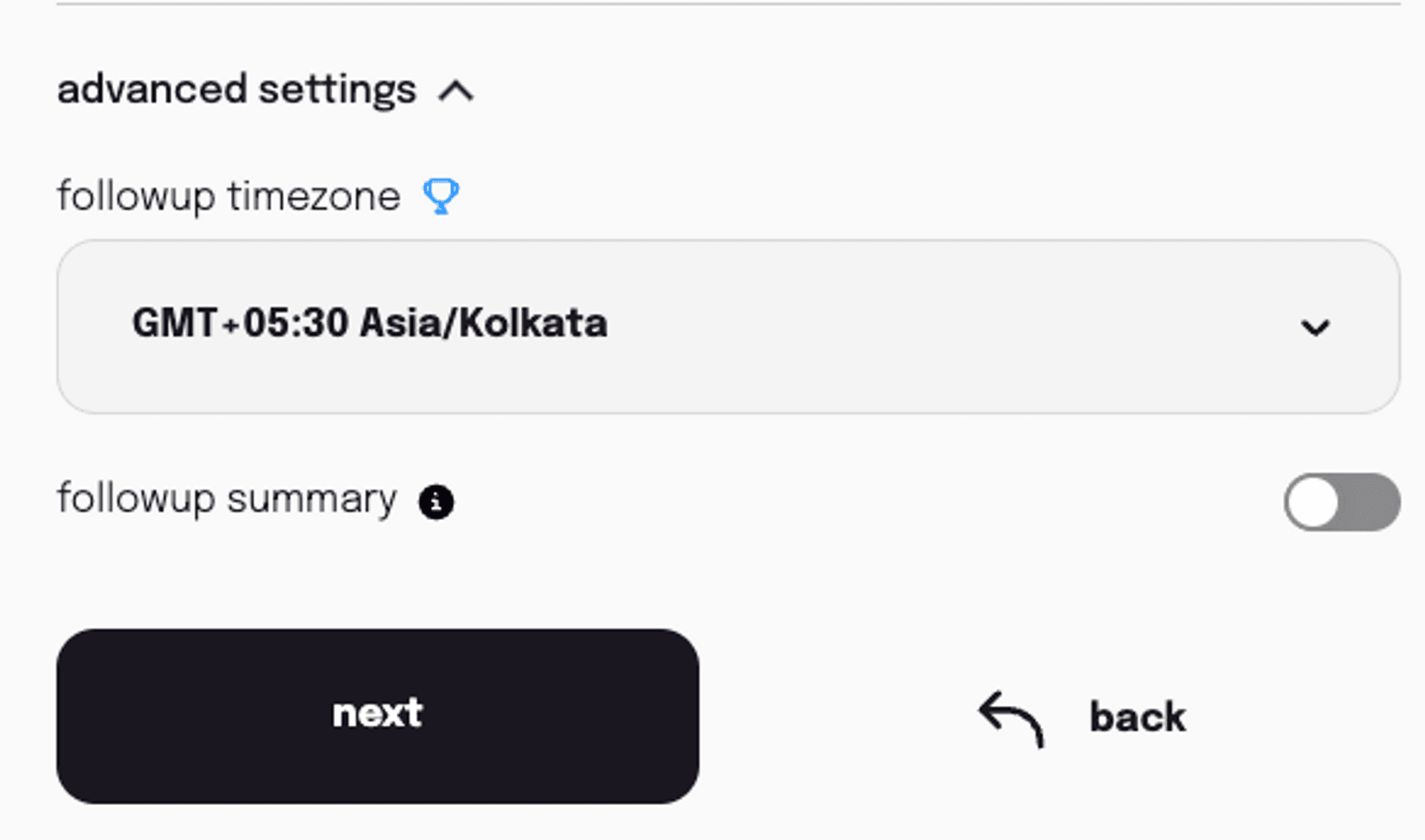
- 📝 Formatting options: Markdown mode for creating a bullet list.
- 🏆 Tooltips for features: Feature explanations and hints on hovering.
- 📈 Analytics: Get analytics of the percentage fill rate on the last day of follow-up.
11 Jul 2022
- 🚀 Access Control: Who can see the follow-up and who can make changes to it are both things that can be restricted now on Sup.
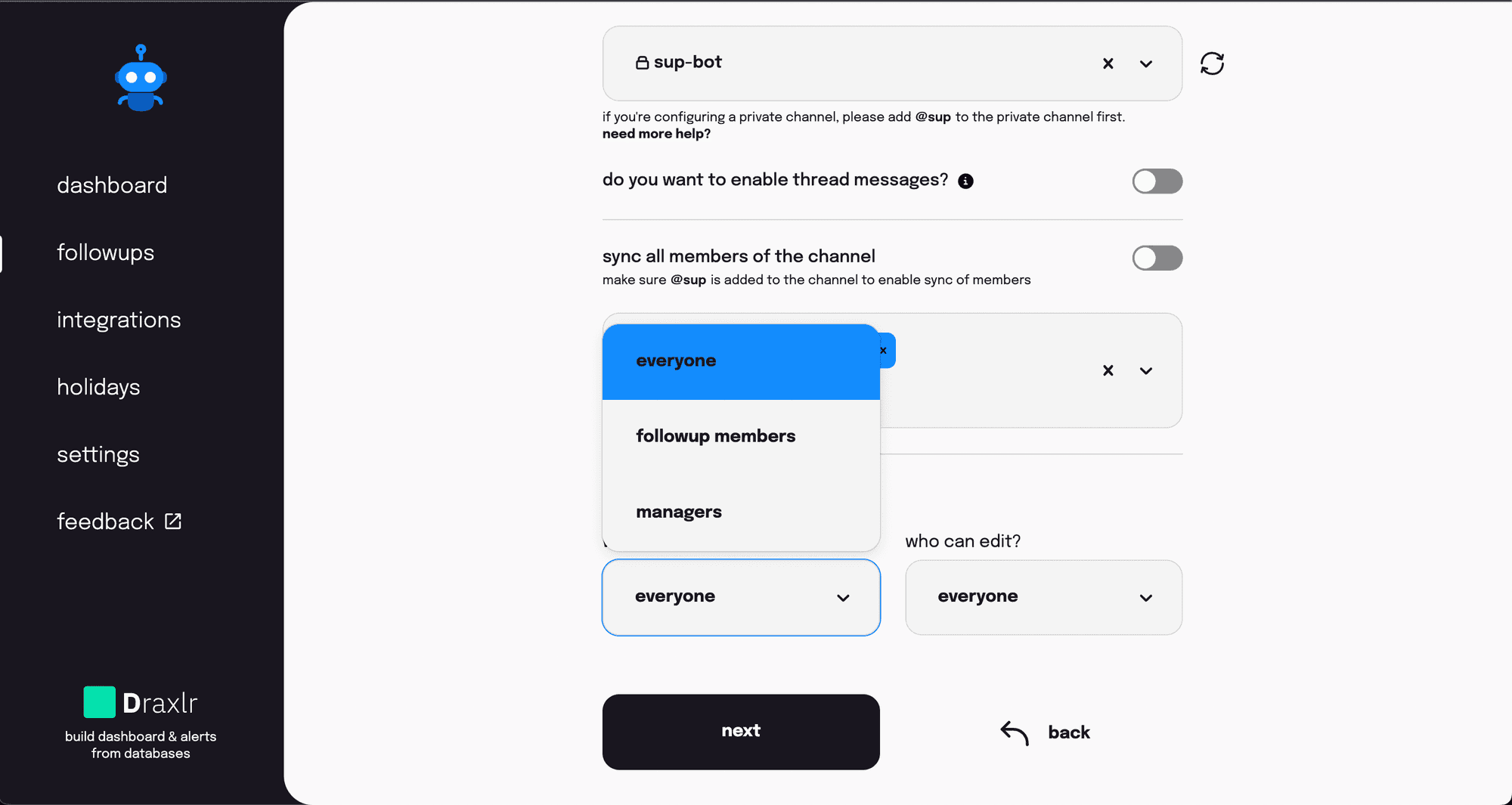
- ✍️ Limited follow-up queries Options text up to 70.
16 Jun 2022
- 🐛 Bug fixes.
- 🐛 And more bug fixes.
06 Jun 2022
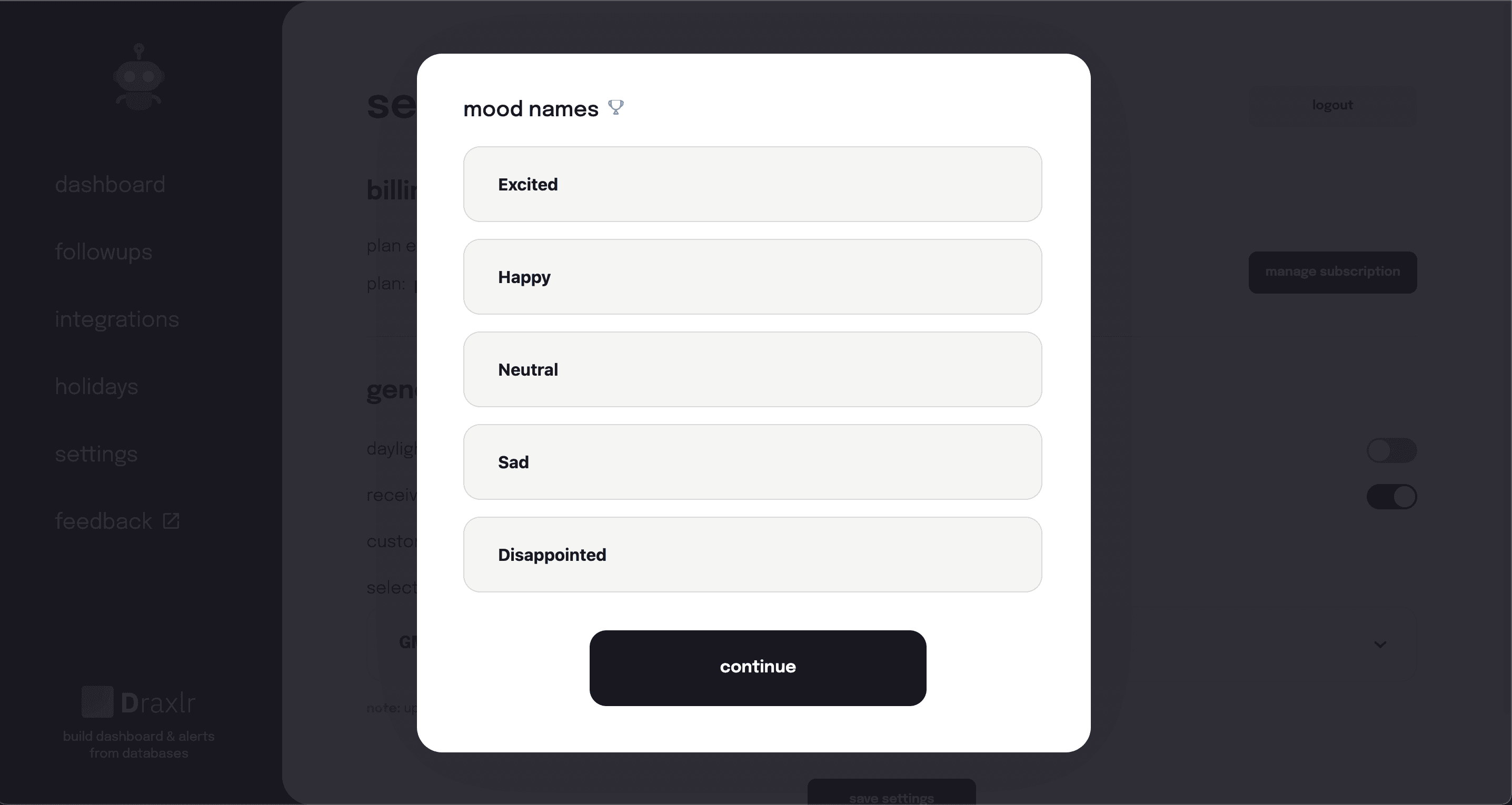
- 🥳 Changeable mood names
- 🐛 Bug fixes.
- 👓 Improved UI.
29 Apr 2022
- 📝 The ability to edit "Not working today." If you accidentally clicked on the button, you can now undo it.
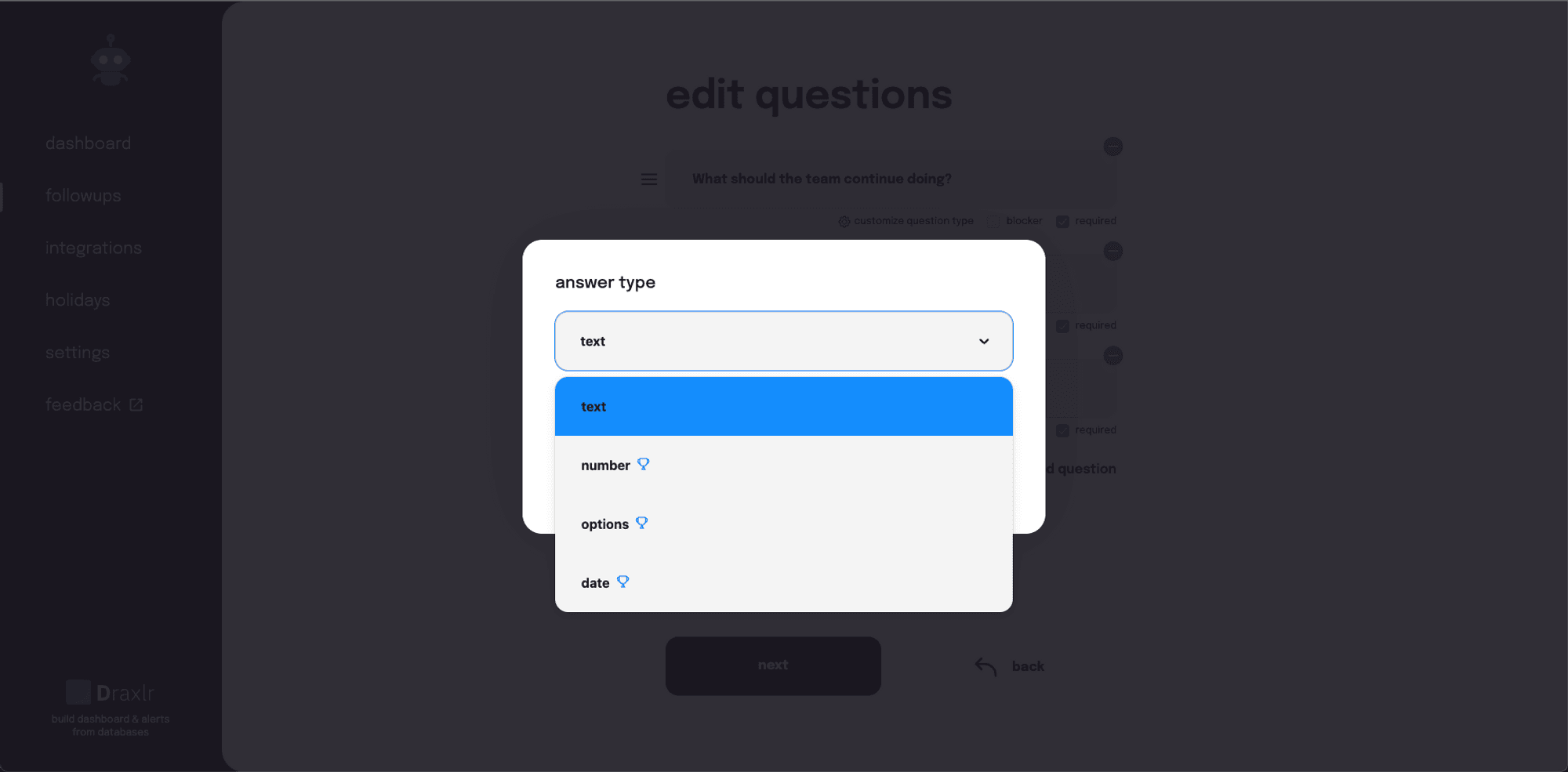
- 💪 As an alternative to plain text, there are more response options. (Additional response choices beyond simple text.)
- ✨A choice to personalize or disable the outro message.
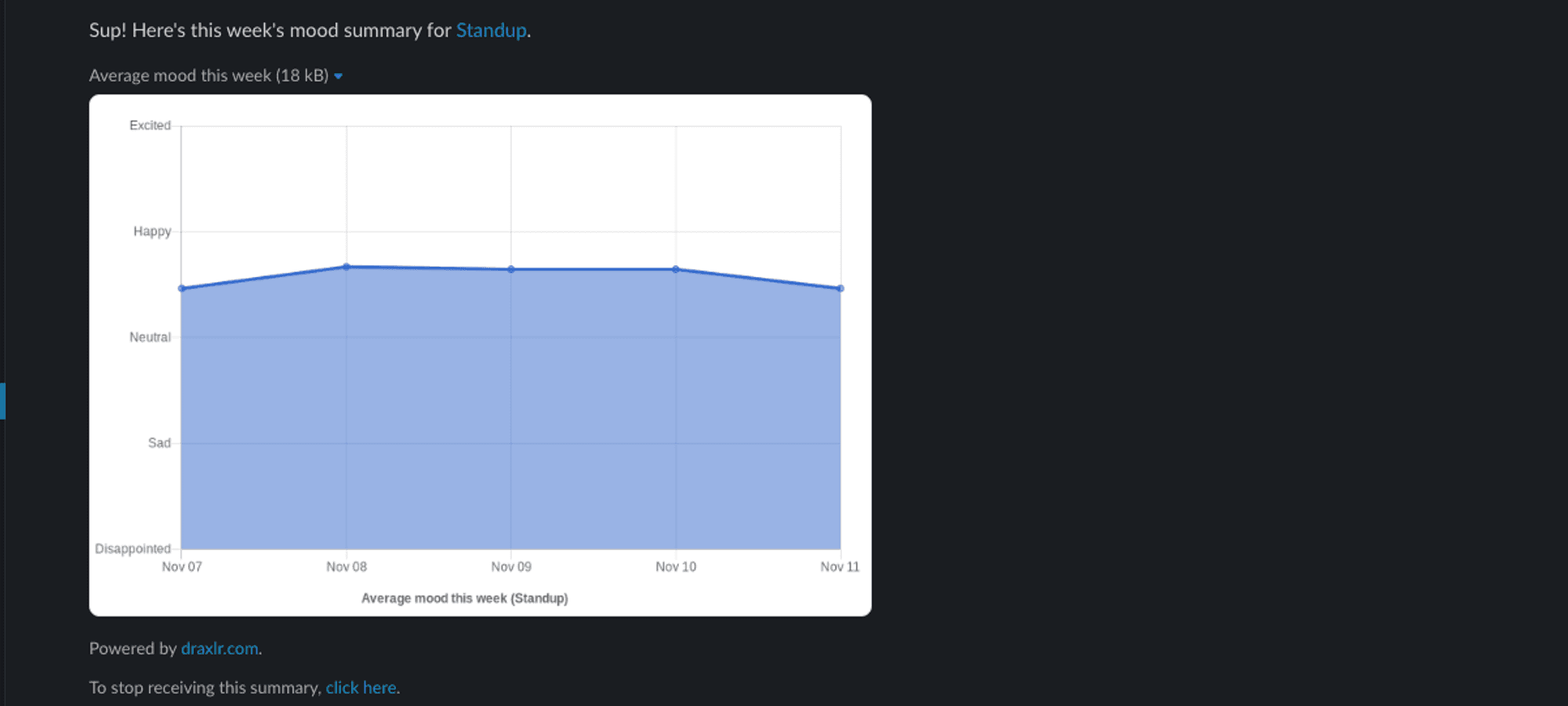
- 🤩 The weekly mood summary is now shared on the Slack channel.