 Sup!
Sup!Channel and members
Where responses are posted, who answers, and when the summary goes out.
You set these on the Channels & members step when you create or edit a follow-up.
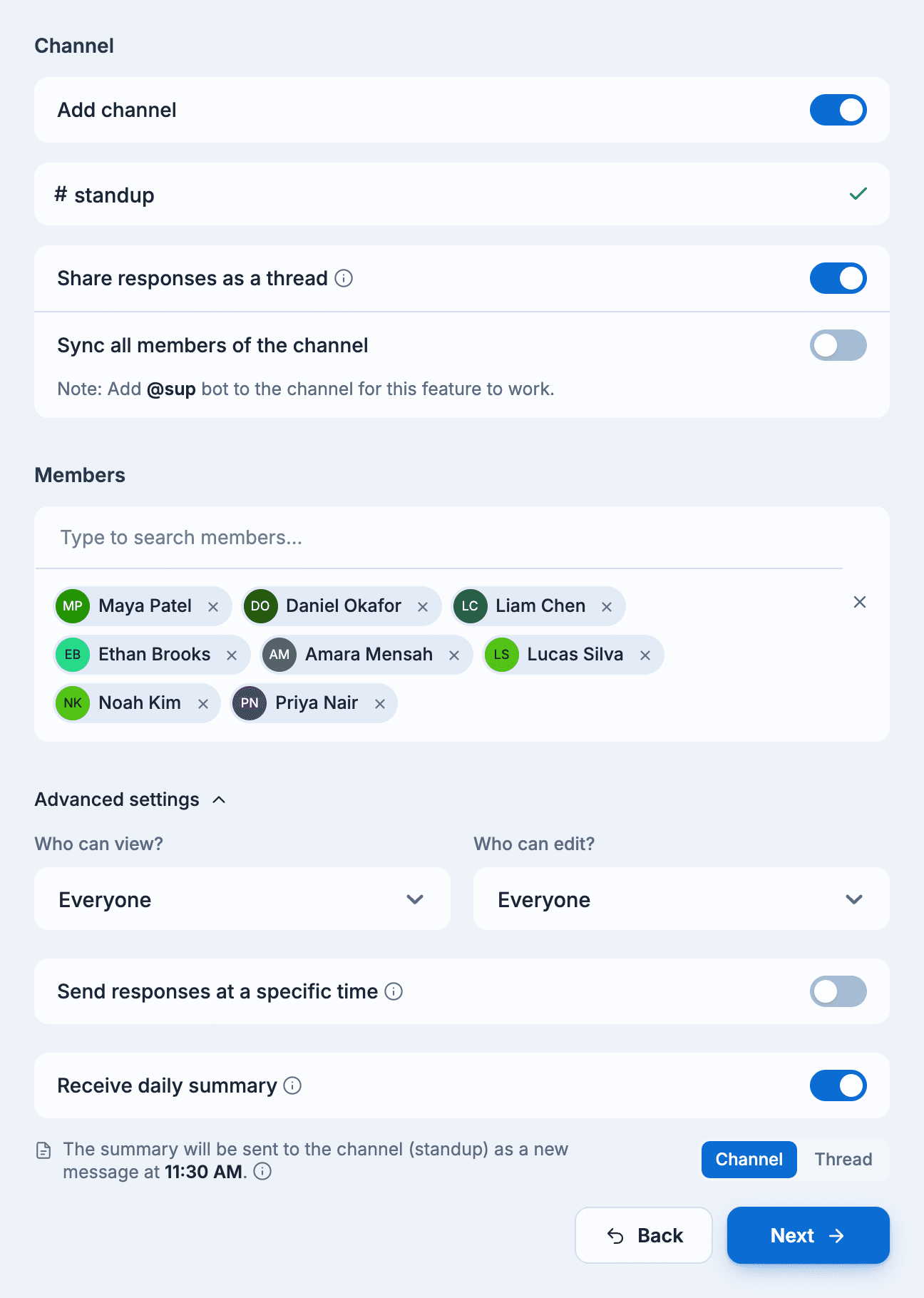
Channel
Sup! posts each member's response to this channel. A follow-up can also run without a channel; its responses are then only on the follow-up's page in the dashboard.
- Keep Add channel on and type the channel name.
- Select Send test notification. Sup! posts a test message to the channel. The channel is only added once this succeeds.
Sup! has to be in the channel. If it isn't, you'll see "Sup bot is not present in channel…";
add @sup to the channel and try again. For private channels, follow the steps in How to add
Sup to a private channel on the same page.
Share responses as a thread
Turn this on to collect the day's responses in a thread instead of separate channel messages. Sup! starts the thread with your thread message. It needs a channel, and is always on when Send responses at a specific time is on.
Sync all members of the channel (Slack)
Makes everyone in the channel a member of the follow-up, and keeps the list in step as people join or leave the channel. Sup! must be in the channel for this to work.
Members
Search for people by name and add them one at a time. Members are the people who get the follow-up and answer it.
On the free plan the number of members is limited, and the page shows the limit. On a trial, only the first members up to the free plan's limit are kept when the trial ends.
Advanced settings
Who can view and who can edit
Controls who can see the follow-up and its responses, and who can change it. See Who can create, view and edit.
Send responses at a specific time
By default, each response is posted to the channel as soon as it's submitted. Turn this on to hold them and post all of them at one time. Pick it from Select a time slot; the options are half-hourly from the follow-up's time up to 11:30 PM.
This needs a channel, posts the responses in a thread, and isn't available when User timezone is on or when the follow-up's time is 11:30 PM or later.
Receive daily summary
On by default. Sup! posts a summary to the channel two hours after the follow-up's time, or along with the responses if you send them at a specific time. When responses go in a thread, choose Channel or Thread for where the summary is posted.