 Sup!
Sup!Locations
Say where people are based, so each person gets the right public holidays.
A location is a place people are based, with a country. Public holidays belong to a location, so everyone based there gets them. Locations are shared by the whole workspace; they don't belong to a team.
Holiday admins manage locations in Settings > Locations.
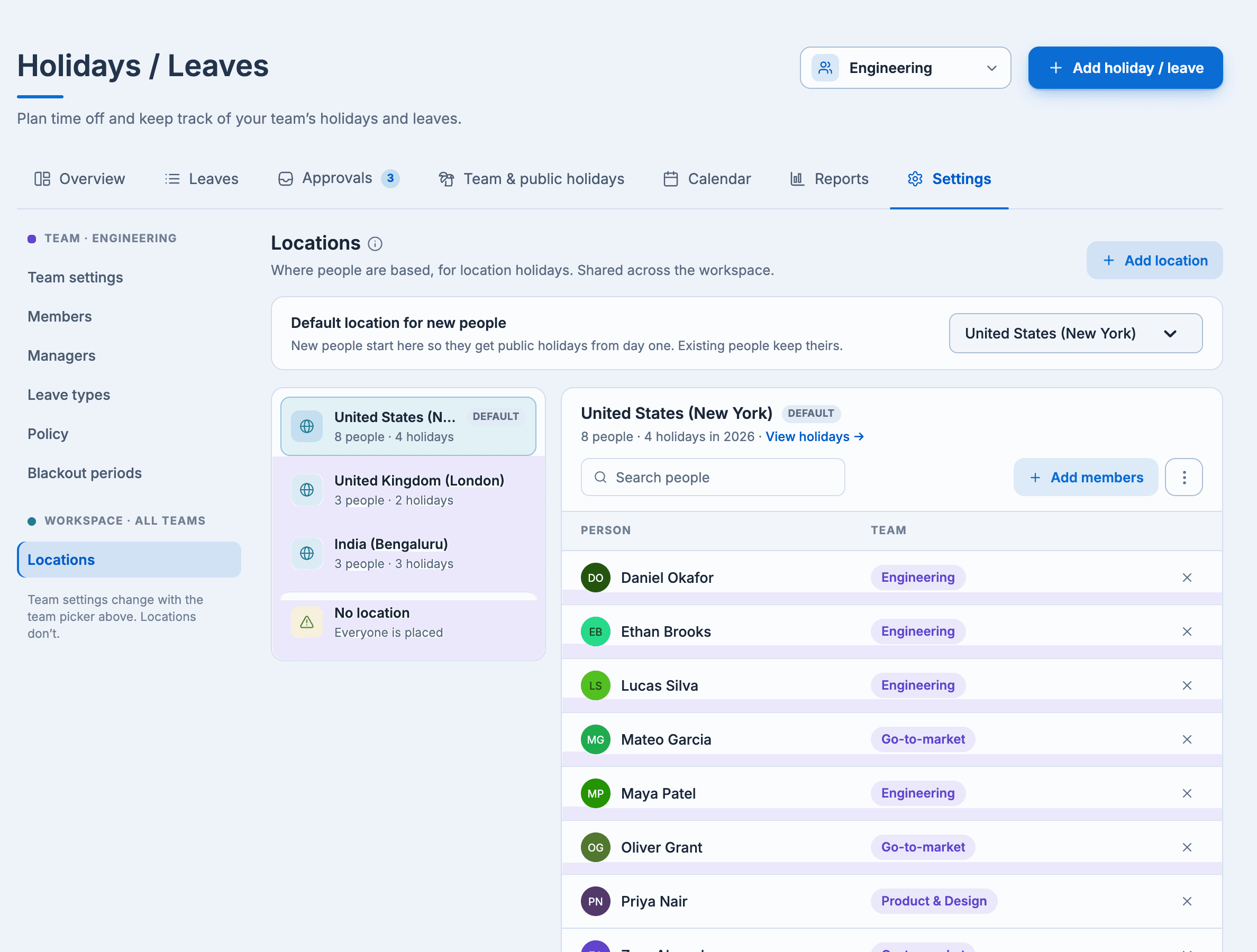
Add a location
Select Add location, enter a Location name and pick the Country. For a new location you can also:
- Make it the default location: people who join the workspace start here.
- Add everyone without a location: they get this location's public holidays.
Place people
Pick a location and select Add members to base people there. Each person has one location. The No location entry lists people who get no public holidays yet.
People can also set their own location in Settings > Profile, under Your location.
Default location
Default location for new people puts people who join the workspace at a location from day one, so they get its public holidays. It doesn't move anyone already placed.
Rename or delete
Use the location's menu to Rename location or Delete location. Deleting removes the location and all its public holidays, and leaves its people without a location. It can't be undone.