 Sup!
Sup!Leave types and policy
Choose what people can request, how each type is counted, and the team's balance rules.
Both are team settings: open Holidays / Leaves, pick the team, and go to Settings.
Leave types
A new team starts with these types: Personal leave, Sick leave, Vacation/paid time off, Maternity/Paternity leave, Bereavement leave, Compensatory leave and Other, which all count against the annual allowance, and Unpaid time off, which isn't counted. Team holiday is built in.
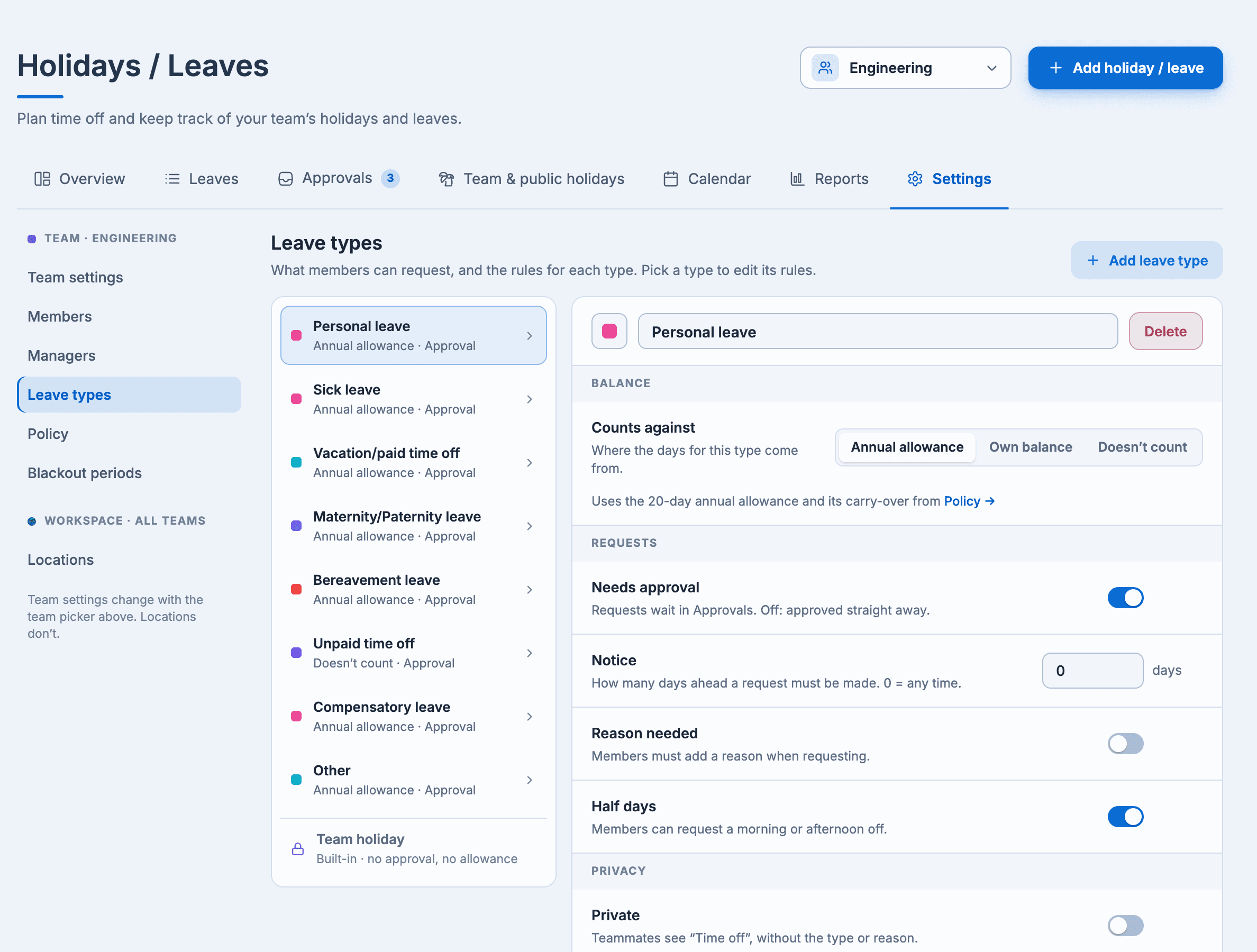
Select a type to edit its rules, or Add leave type:
| Rule | What it does |
|---|---|
| Counts against | Annual allowance (the team's yearly days), Own balance (a separate number of Days a year, with its own Carry over), or Doesn't count |
| Needs approval | On: requests wait in Approvals. Off: they're approved straight away |
| Notice | How many days ahead a request must be made. 0 means any time |
| Reason needed | People must add a reason |
| Half days | People can request a morning or afternoon off |
| Private | Teammates see "Time off", without the type or the reason |
Select Save rules. Removing a type stops people requesting it; leave already taken with it stays on record. A team needs at least one leave type.
Customizing leave types is on the paid plans.
Leave policy
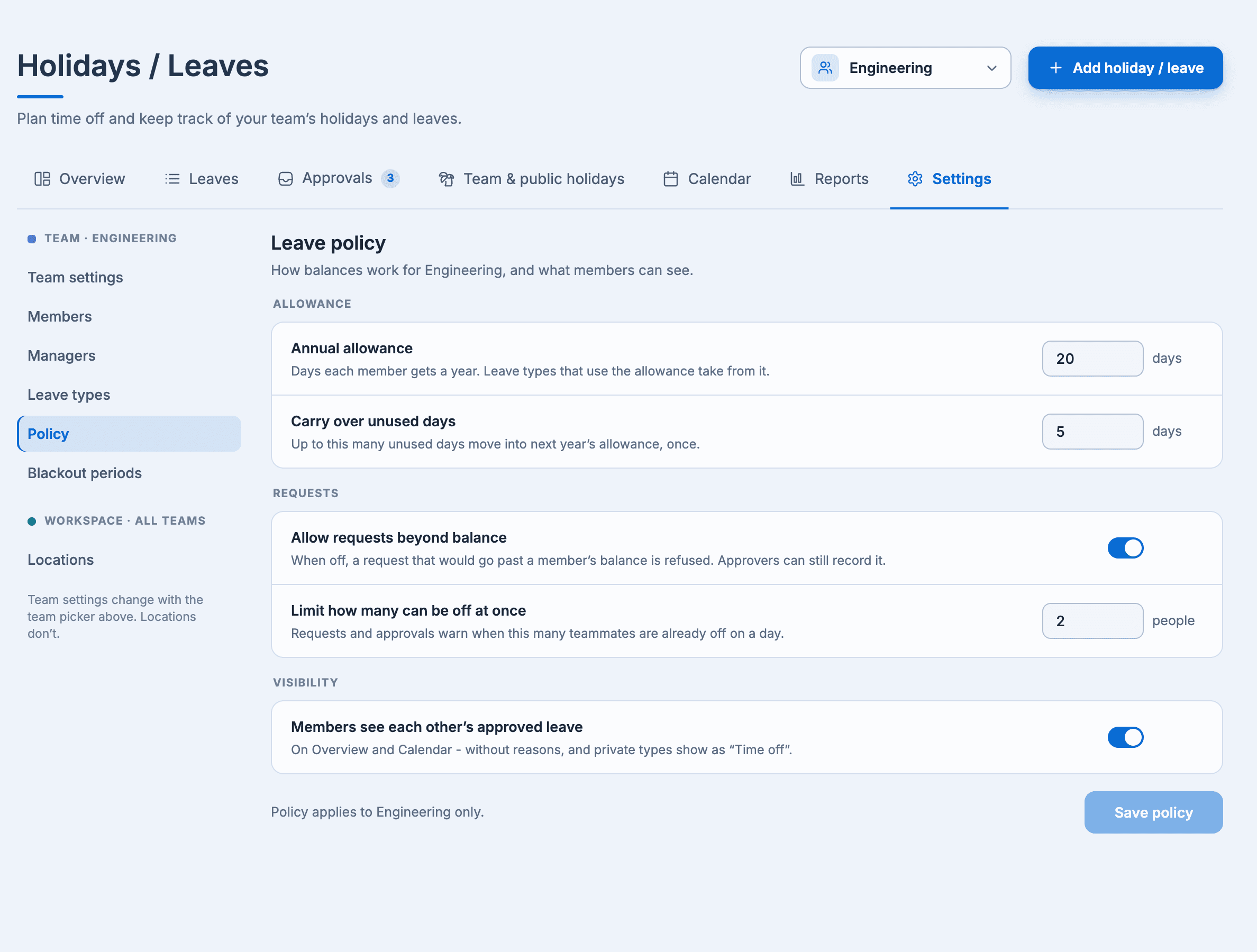
- Annual allowance: days each member gets a year.
- Carry over unused days: up to this many unused days move into next year's allowance, once.
- Allow requests beyond balance: when off, a request that would take someone past their balance is refused. Approvers can still record it. On by default.
- Limit how many can be off at once: requests and approvals show a warning when this many teammates are already off on a day.
- Members see each other's approved leave: teammates see each other's approved leave on Overview and Calendar, without reasons. On by default.
Select Save policy. To give one person a different allowance or add or take away days, see Adjust a balance.
How days are counted
Leave only counts working days (set in the workspace's settings). Team and public holidays inside a leave aren't charged, and half days count as half.