 Sup!
Sup!Overview
Polls, requests, feedback and one-time check-ins your team fills in whenever they need to.
A form is a set of questions your team answers on demand: a lunch poll, an IT equipment request, an anonymous survey. Unlike a follow-up, a form has no schedule. You share it once, or pin it somewhere people can find it, and people fill it in from Slack or Microsoft Teams when they need to.
Responses can be posted to a channel, sent to the people who need to know, and marked as done with an approval flow.
Find your forms
Select Forms in the dashboard's left sidebar.
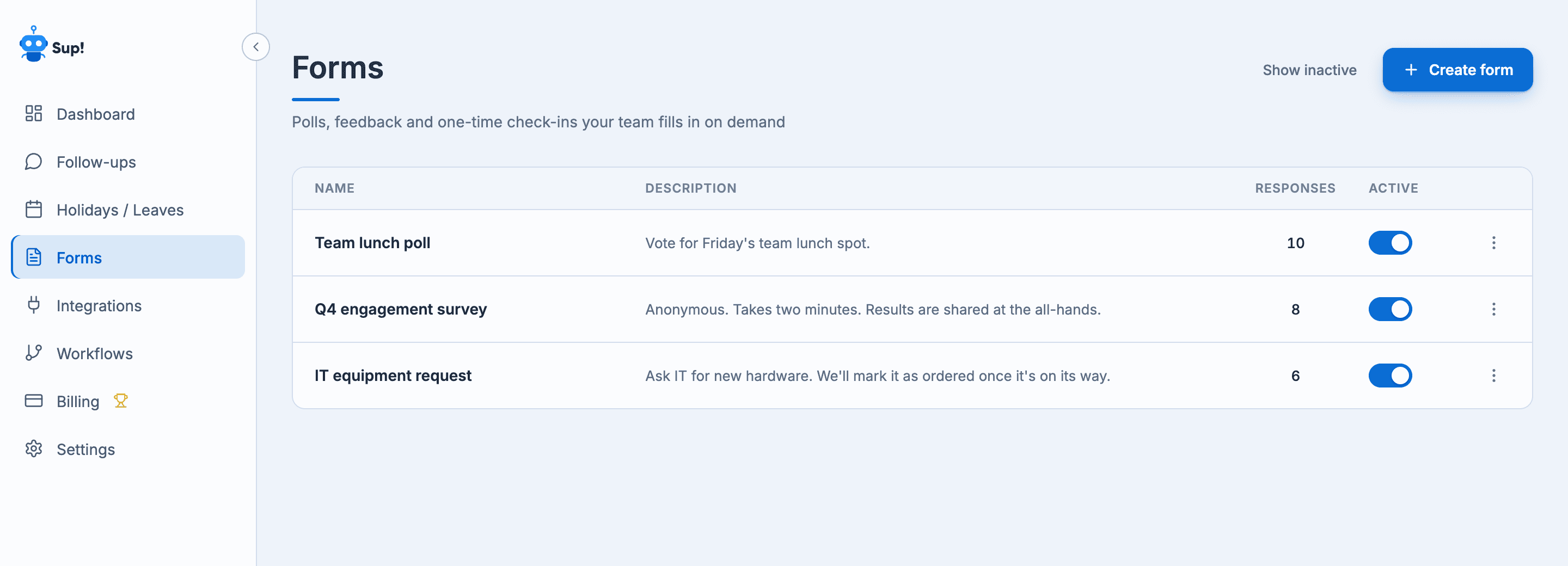
The list shows each form's Name, Description, number of Responses and an Active switch. Select a row to open the form. Use the ⋯ menu to Delete or Duplicate it. Inactive forms are hidden until you select Show inactive.
You see the forms whose responses everyone can view, and the forms you created yourself. See Who can see a form.